The LISEN Tablet Stands review centers on a foldable desk holder designed for a wide range of tablets and portable monitors.
Its adjustable height and angle, broad device fit, and weighted base make it worth considering for home, office, and travel use.
LISEN Stand Review Summary
The quick verdict
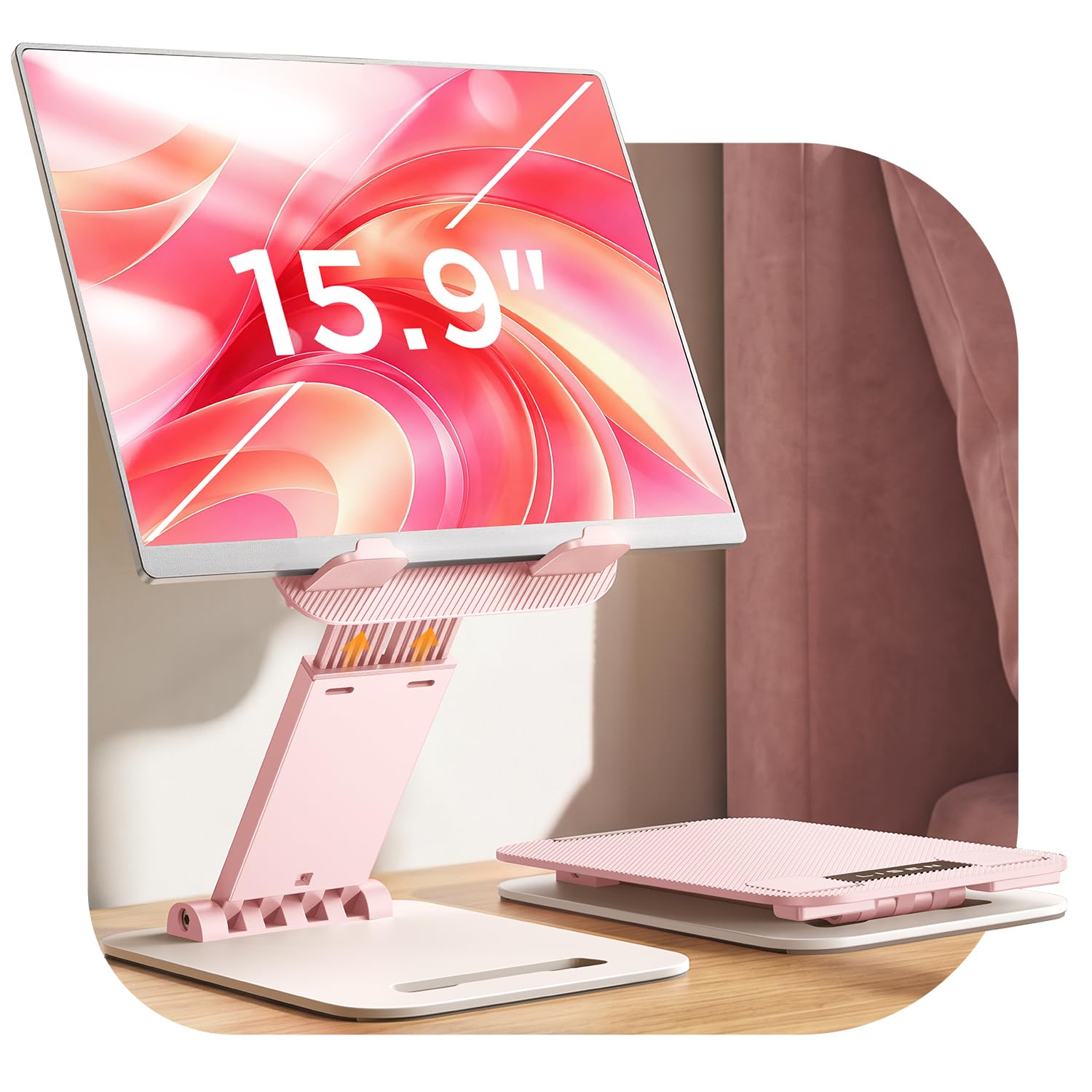
13,000+ ratings
Read Amazon ReviewsLISEN Tablet Stand
A compact, adjustable desk stand for tablet users who want a portable viewing position and a weighted base.
- Adjustable height and viewing angle, with a locking mechanism and an adjustment screw for changing joint tension.
- Foldable frame designed to pack flat for storage or travel.
- Weighted, wider base with soft silicone contact areas intended to limit sliding and protect the desk surface.
- Compatibility range listed as 4 to 15.9 inches, including tablets, e-readers, and portable monitors.

Pros
- Folds flat, making it easier to store between uses or carry on a trip.
- Height and angle adjustment give more flexibility than a fixed viewing position.
Consider before buying
- A device must be under 0.7 inches wide, and a bulky protective case may prevent a suitable fit.
- Phones are limited to landscape placement.
Read the full review summary
This stand combines a fold-flat frame with a weighted base and a locking adjustment mechanism.
Its listed compatibility spans devices from 4 to 15.9 inches, while the stated device-width limit and case-thickness caveat mean it is still important to check your tablet and case dimensions before buying.
It suits people who want to raise a tablet for video calls, reading, or watching content, then pack the stand away when the desk needs to be cleared.
The design is less compelling if you need a fixed mount or expect frequent tapping at a steep viewing angle: the product guidance points to the lowest angle and desktop support for steadier touch use.
The buying factors
LISEN Stand Scorecard
Editorial scores reflect listed features and buyer fit; they are not laboratory measurements or customer ratings.
Device-size range
The stated 4 to 15.9-inch range covers many tablets and portable monitors, subject to the width and case limits.
Adjustability
Height and angle adjustments let users set a viewing position for different tasks.
Portability
The stand folds flat and is described as compact enough to carry in a pocket or bag.
Desk stability design
A weighted, wider base, silicone contact points, and an adjustment lock are aimed at keeping the stand planted.
Touchscreen use
The guidance gives a lower-angle setup for tapping, so frequent interaction may call for a more deliberate position.
Setup flexibility
The adjustment screw can be tightened or loosened, providing a way to tune joint resistance over time.
Key Features and Specifications of LISEN Stand
- Adjustable height and viewing angle, with a locking mechanism and an adjustment screw for changing joint tension.
- Foldable frame designed to pack flat for storage or travel.
- Weighted, wider base with soft silicone contact areas intended to limit sliding and protect the desk surface.
- Compatibility range listed as 4 to 15.9 inches, including tablets, e-readers, and portable monitors.
- Device width must be under 0.7 inches; the description says heavy-duty iPad cases are not supported.
- Smartphones are supported in landscape orientation only.
- Product weight is listed as 15.2 ounces.
Pros and Cons of LISEN Stand
Pros
- Folds flat, making it easier to store between uses or carry on a trip.
- Height and angle adjustment give more flexibility than a fixed viewing position.
- Broad stated size range can accommodate a variety of tablets and portable monitors.
- Weighted base and silicone contact areas are useful design choices for a desk stand.
Consider before buying
- A device must be under 0.7 inches wide, and a bulky protective case may prevent a suitable fit.
- Phones are limited to landscape placement.
- For screen tapping, the recommended lowest-angle setup may be less convenient for viewing than a more upright position.
Who Should Buy LISEN Stand?
Good fit
Consider the LISEN Tablet Stand if you switch between reading, video calls, and viewing content at a desk, but also want a holder that can fold away.
The adjustable height and angle can help you tailor the screen position to your chair and workspace, while the stated size range makes it relevant to more than one tablet class.
It is also a reasonable fit for people who travel with a tablet stand.
The folded design is intended for bag or pocket storage, and the 15.2-ounce listed weight gives a useful reference when deciding whether to carry it alongside your device.
Before choosing it, measure the device with its case attached and check that its width stays below the stated limit.
If you often tap or draw on the screen, plan to use the lower angle described for that purpose and consider whether it suits your working posture.
Who should skip it
Skip this stand if your tablet and case exceed the stated width limit or the case is particularly thick; the design may not provide a suitable fit.
Look for a different setup if you need a permanently installed mount, or if you rely on a portrait orientation for a smartphone.
How the LISEN Stand Fits a Desk Setup
A broad fit, with dimensions to check
The 4 to 15.9-inch range is broad enough to make this stand relevant to tablets, e-readers, and portable monitors.
Size alone does not guarantee compatibility, though: the description also sets a device-width limit under 0.7 inches and warns against heavy-duty cases. Measure the complete device setup rather than relying only on the screen diagonal.
Adjustability for changing tasks
Height and angle adjustment can help position a screen for a video call, a reading session, or hands-free viewing. The locking mechanism and screw adjustment provide a way to tune how freely the joints move.
That flexibility is useful when several people share the stand or switch between tasks, though it also means the best position may take some adjustment.
Stability and touch interaction
The weighted, wider base and silicone contact points are intended to keep the holder from shifting and to protect the desk.
For touch input, the product guidance recommends the lowest angle and placing the lower bracket on the desktop for a steadier setup.
Buyers who regularly write or draw on a tablet should consider whether that lower position works for their screen and posture.
Portability and everyday storage
A fold-flat structure helps this stand move between a desk and a travel bag without taking up much space.
Its listed weight is 15.2 ounces, so it is portable in the sense of being packable, though travelers should account for that weight alongside their other gear.
The folding format is especially useful when the desk is shared or needs to be cleared after use.
Alternatives to LISEN Stand
Only one supplied alternative offers a clearly relevant difference for a portable desk stand; compare size range and construction against your own device and setup.
Tablet Stands alternative
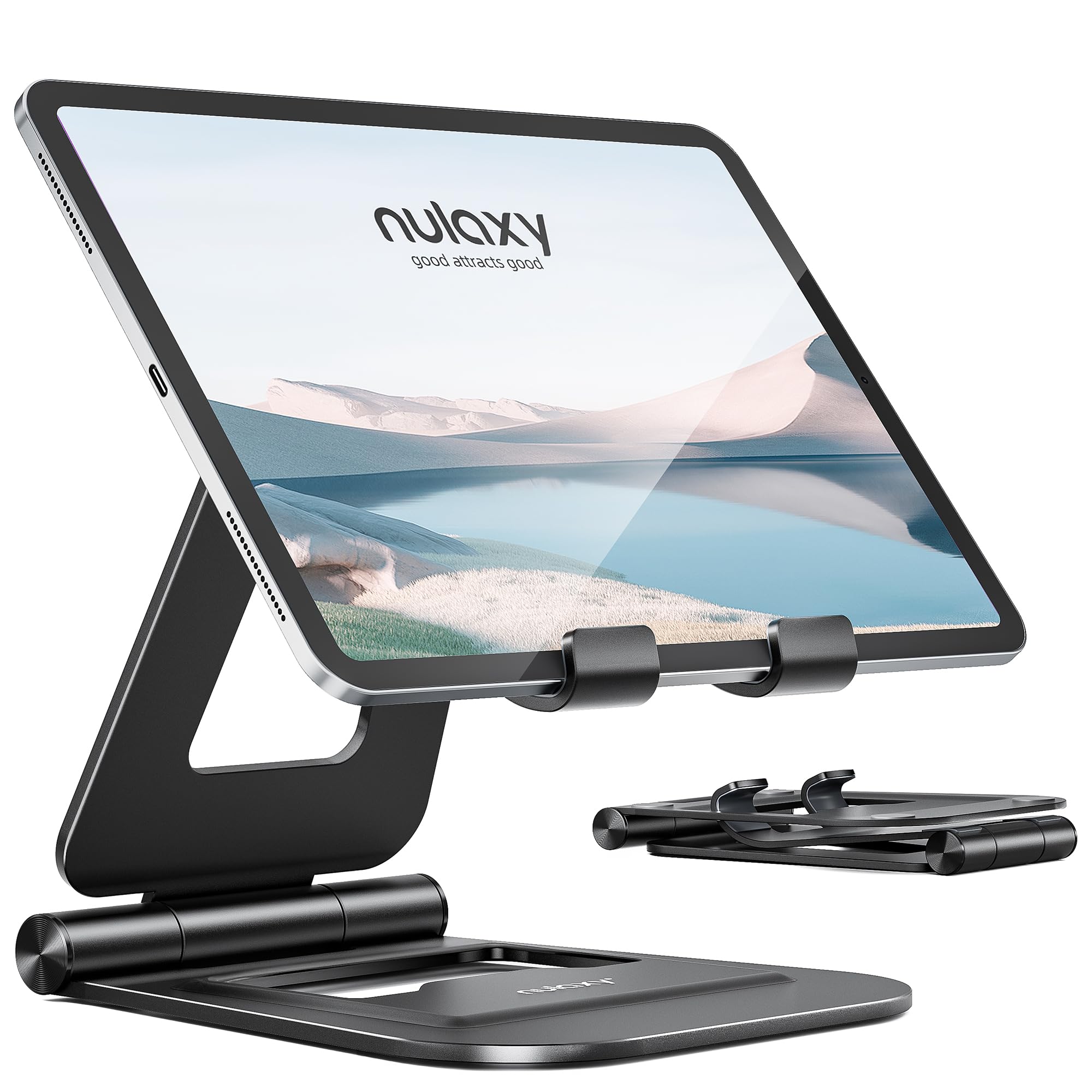
8,000+ ratings
Read Amazon ReviewsNulaxy A5 Dual Adjustable Foldable Stand
Choose the Nulaxy A5 if your device falls within its 4 to 11-inch range and you prefer an aluminum construction with dual shafts.
The LISEN stand has the broader stated size range, which may better suit users with a larger tablet or portable monitor, provided the width and case limits are met.
- The Nulaxy A5 is a foldable aluminum stand with two adjustable shafts, silicone pads, and stated compatibility with 4 to 11-inch devices.
- The LISEN stand is listed for devices from 4 to 15.9 inches and folds flat, with a weighted base and adjustable height and angle.
Is LISEN Stand Worth It?
The LISEN Tablet Stand is worth considering if you want an adjustable holder that folds away and can serve a range of tablet and monitor sizes.
Its weighted base and adjustable joints address useful desk needs, while its portability suits occasional travel.
Check the width and case fit before buying, and think through how you use the touchscreen. For hands-free viewing it offers a flexible setup; for frequent tapping, the lower-angle guidance is an important practical tradeoff.
Your review at a glance
13,000+ ratings
Read Amazon ReviewsLISEN Tablet Stand
A compact, adjustable desk stand for tablet users who want a portable viewing position and a weighted base.
- Adjustable height and viewing angle, with a locking mechanism and an adjustment screw for changing joint tension.
- Foldable frame designed to pack flat for storage or travel.
- Weighted, wider base with soft silicone contact areas intended to limit sliding and protect the desk surface.
- Compatibility range listed as 4 to 15.9 inches, including tablets, e-readers, and portable monitors.