The Phomemo M110 Label Maker is a compact thermal printer aimed at people who create labels for products, supplies, or gifts and want to design them from a phone or computer.
This Phomemo M110 Label Maker review looks at its app tools, included supplies, and practical limits to help you decide whether it fits your routine.
Phomemo M110 Review Summary
The quick verdict
6,000+ ratings
Read Amazon ReviewsPhomemo M110 Label Maker
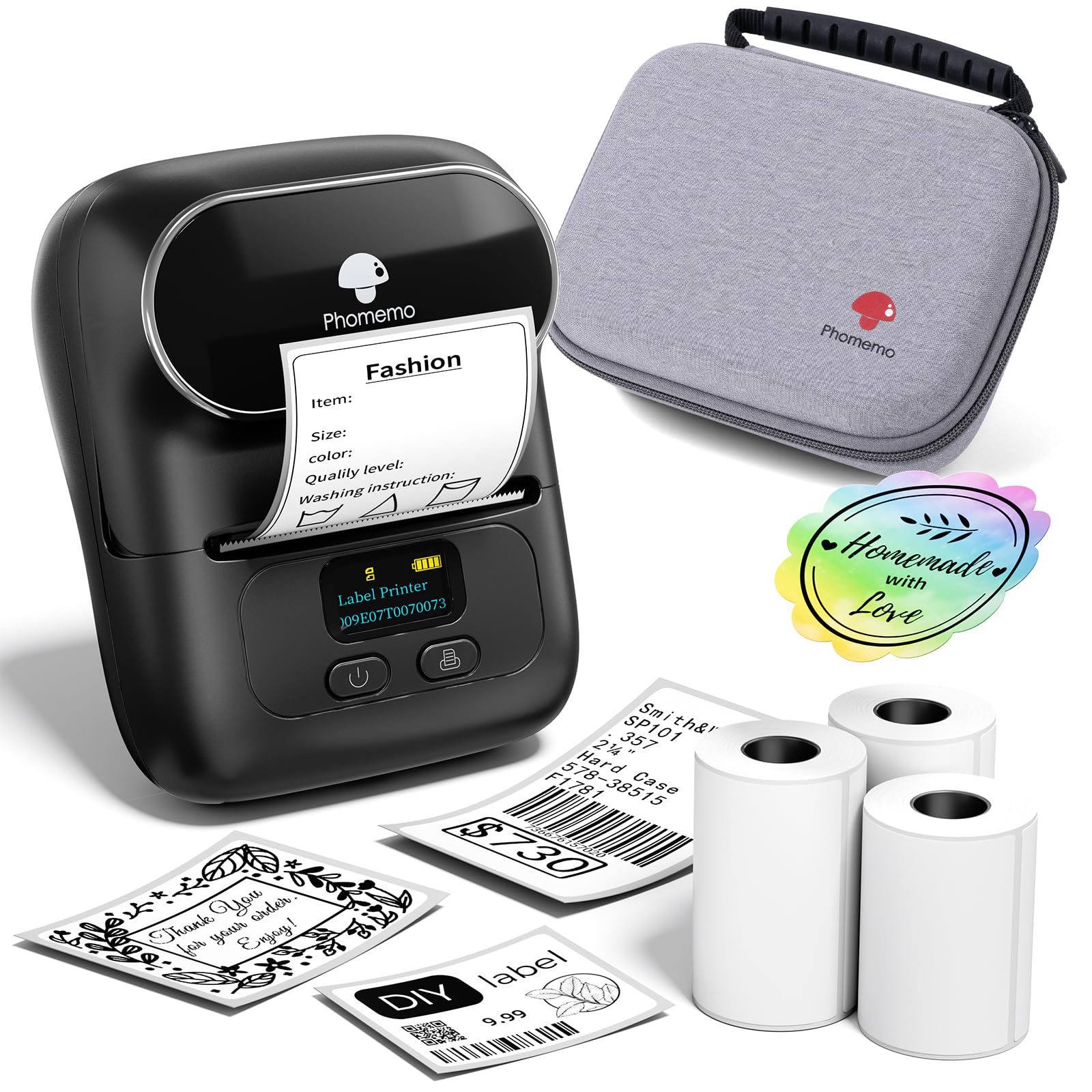
A portable thermal label maker for small businesses, home organization, and gift labeling, with app templates, batch printing, and OCR features.
- Prints monochrome labels using thermal paper, so the listed package does not require ink cartridges.
- Bluetooth 4.0 connection supports phone-based printing, with a listed range of up to 33 feet.
- The Phomemo app offers multiple templates and allows users to create their own label layouts.
- Excel batch printing supports preparing multiple labels from spreadsheet data.

Pros
- Batch printing and Excel support are useful when labels share a repeatable data structure.
- OCR can reduce manual retyping when label text is available in an image.
Consider before buying
- Printing is monochrome, so buyers seeking colored text or images should consider another approach.
- Some app design assets are reserved for members; check the features you plan to use before relying on a particular template or font.
Read the full review summary
The M110 combines a portable, monochrome thermal printer with Bluetooth connectivity and the Print Master app.
Its templates, custom layouts, Excel batch printing, and OCR text recognition make it more capable than a basic labeler for repeat tasks such as preparing product or inventory labels.
The package includes three rolls of white thermal labels, a carrying bag, a USB-C cable, and a manual, so there are supplies for getting started.
It is a better fit for compact labels and organized batch work than for buyers who need color output or large shipping labels; check that your planned label sizes and workflow suit this two-inch format.
The buying factors
Phomemo M110 Scorecard
Editorial scores reflect listed features and buyer fit; they are not laboratory measurements or customer ratings.
App design options
Templates and custom layouts support a range of label styles, though some marked app assets require membership.
Batch workflow
Excel batch printing can help with repeated or spreadsheet-based labels.
Text capture
OCR can turn text in an image into editable text, a useful shortcut for copying label details.
Connection convenience
Bluetooth pairing is designed for quick setup, with a stated range of up to 33 feet.
Portability
The compact printer comes with a carrying bag, supporting use across work areas.
Out-of-box supplies
Three label rolls and a USB-C cable are included, giving buyers a practical starter set.
Output flexibility
Monochrome thermal printing suits functional labels, but does not provide color output.
Key Features and Specifications of Phomemo M110
- Prints monochrome labels using thermal paper, so the listed package does not require ink cartridges.
- Bluetooth 4.0 connection supports phone-based printing, with a listed range of up to 33 feet.
- The Phomemo app offers multiple templates and allows users to create their own label layouts.
- Excel batch printing supports preparing multiple labels from spreadsheet data.
- OCR recognizes text in images and converts it into editable text for label creation.
- Package includes three rolls of white thermal labels, a black carrying bag, a USB-C cable, and a user manual.
- Some templates, icons, and fonts in Print Master are marked as member-only; most unmarked options are free.
Pros and Cons of Phomemo M110
Pros
- Batch printing and Excel support are useful when labels share a repeatable data structure.
- OCR can reduce manual retyping when label text is available in an image.
- The app supports both ready-made templates and custom layouts.
- Three rolls and a carrying bag are included for a more complete start.
Consider before buying
- Printing is monochrome, so buyers seeking colored text or images should consider another approach.
- Some app design assets are reserved for members; check the features you plan to use before relying on a particular template or font.
- The recommended use of Phomemo thermal label paper may narrow refill choices, so compare compatible roll sizes and ongoing supply availability before purchase.
Who Should Buy Phomemo M110?
Good fit
Consider the M110 if you regularly prepare compact labels for products, office supplies, school materials, or household organization.
The mix of templates, custom layouts, OCR, and batch printing makes it particularly relevant when labels need to be created in groups or reused with changing text.
It may also suit occasional gift labeling, where self-adhesive thermal labels can simplify attaching names or other details.
The included rolls provide a starting supply, while the carrying bag helps keep the printer and its accessories together between work areas.
Before buying, map out the sizes and volume you expect to print and confirm the compatible thermal paper options.
If you plan to use app designs beyond the unmarked free selection, verify whether those templates or fonts carry a membership requirement.
Who should skip it
Skip this model if your work depends on color printing or requires a format larger than the M110's two-inch label-maker design. Its monochrome thermal output is geared toward functional labels rather than full-color presentation.
It is also a poor fit if you want a no-app workflow or need certainty that a particular refill brand will work. Confirm your preferred label stock and design process before committing.
How the Phomemo M110 Fits Labeling Tasks
Batch preparation can save repeated setup
The Excel batch-printing feature is useful when a set of labels follows the same structure but contains different entries, such as item names or product details.
It gives the M110 a role in small-scale workflows where typing each label individually would be tedious; buyers should make sure their data is organized in a format the app can use.
OCR helps bridge images and editable labels
OCR can recognize text in images and convert it into editable text.
That can help when details to be printed already exist in a photo, though the resulting text should be reviewed before printing so errors do not carry into a batch.
Thermal output favors practical, single-color use
Thermal printing avoids ink cartridges and produces monochrome output on thermal paper. This is a sensible format for names, identifiers, and straightforward product information, while buyers seeking colorful branded designs should account for the printer's black-only output.
Plan around app access and label stock
The app has a broad mix of templates and custom-design tools, but some diamond-marked assets are member-only.
Phomemo also recommends its own thermal paper for optimal results, so checking refill sizes, availability, and app features ahead of time can prevent surprises after setup.
Alternatives to Phomemo M110
Desktop Label Printers alternative
1,000+ ratings
Read Amazon ReviewsPhomemo M110 Label Printer
Compare this option if trying several label sizes is a priority; its listed mix of sizes may help you identify a suitable format.
The reviewed package is the clearer choice if the included bag and USB-C cable matter more to you.
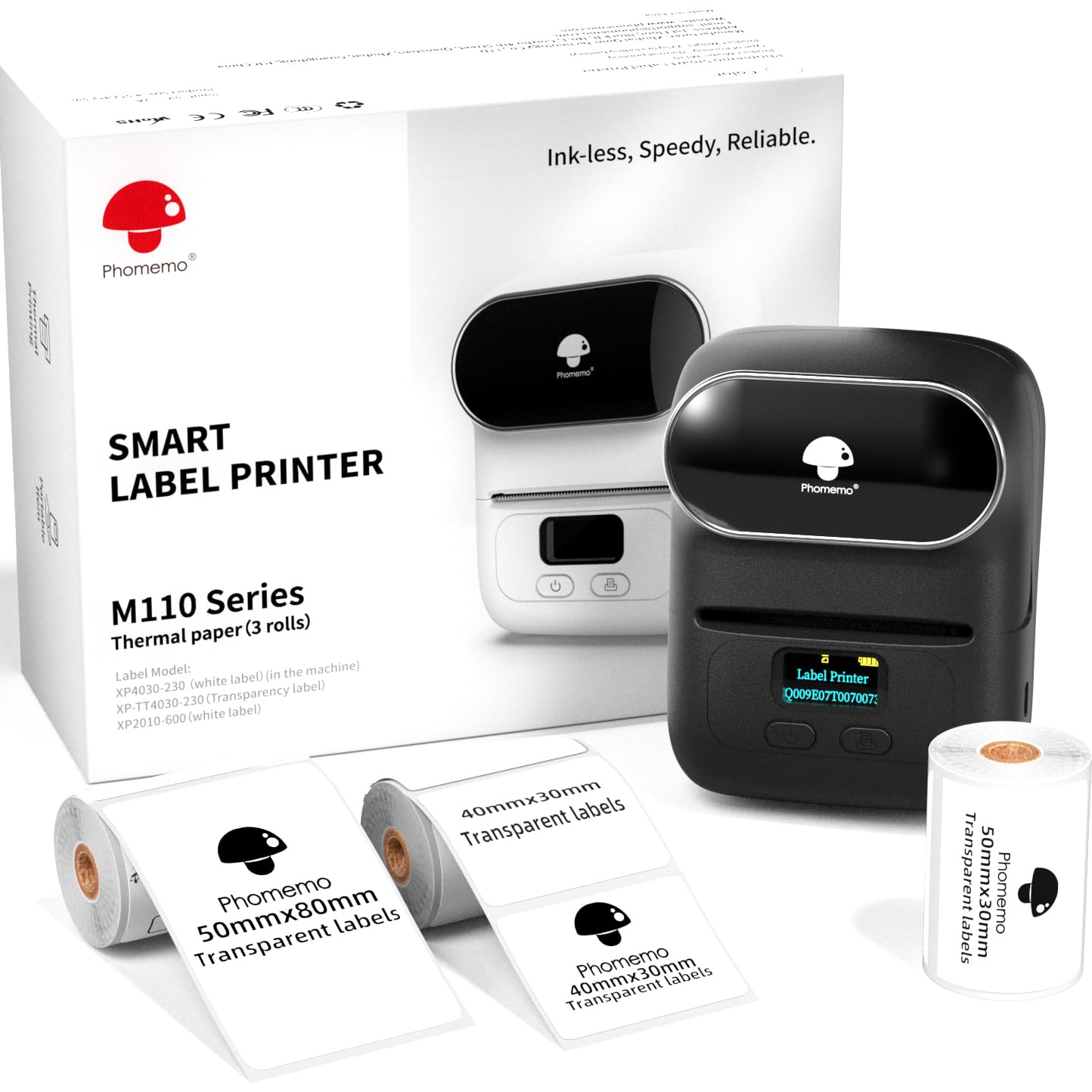
- This M110 option lists three label sizes and supports labels from 20 to 50 mm wide and up to 80 mm long.
- Its description also names QR codes, barcodes, and custom designs, with batch printing and OCR.
- The reviewed M110 package includes three white thermal label rolls, a carrying bag, and a USB-C cable, alongside app-based templates, Excel batch printing, and OCR.
Desktop Label Printers alternative

700+ ratings
Read Amazon ReviewsPhomemo M220 Label Maker
Choose the M220 if you need a wider label range and computer connectivity, and its larger format suits your work. The M110 remains a better match if the smaller design and included carrying bag are priorities.
- The M220 supports label widths from 0.78 to 3.14 inches, Bluetooth for phones and tablets, and USB connections for computers.
- Its app includes text, image, barcode, QR-code, and OCR tools; it does not support 4 × 6 shipping labels.
- The M110 is a compact two-inch label maker with a three-roll starter set, app templates, Excel batch printing, and OCR.
Is Phomemo M110 Worth It?
The Phomemo M110 Label Maker is worth considering for buyers who want a portable thermal printer with useful app tools for repeated or customized labeling.
Excel batch printing and OCR are practical strengths, and the three included rolls make the package ready for initial projects.
Buy it if monochrome output, compatible thermal-paper refills, and the app workflow match your needs. Check label dimensions and whether any desired app designs require membership; choose a wider-format printer if your labels need more room.
Your review at a glance
6,000+ ratings
Read Amazon ReviewsPhomemo M110 Label Maker
A portable thermal label maker for small businesses, home organization, and gift labeling, with app templates, batch printing, and OCR features.
- Prints monochrome labels using thermal paper, so the listed package does not require ink cartridges.
- Bluetooth 4.0 connection supports phone-based printing, with a listed range of up to 33 feet.
- The Phomemo app offers multiple templates and allows users to create their own label layouts.
- Excel batch printing supports preparing multiple labels from spreadsheet data.