This SteelSeries GEN3 review looks at the Apex Pro TKL Gen 3, a wired tenkeyless keyboard built around adjustable OmniPoint 3.0 magnetic switches and game-focused input controls.
Its strongest appeal is the combination of fine actuation adjustment, Rapid Trigger, Rapid Tap, and onboard setting access.
Apex Pro TKL Review Summary
The quick verdict
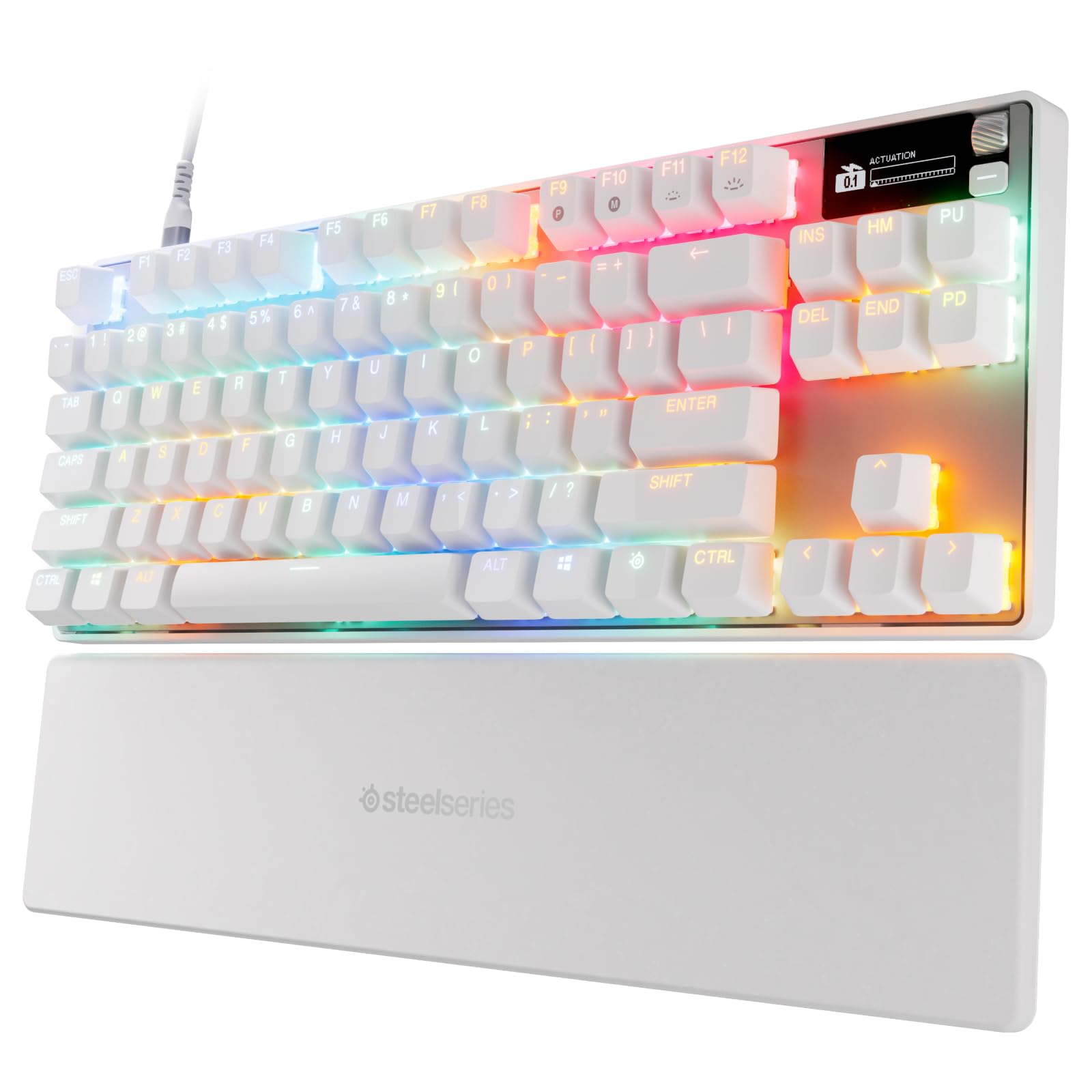
500+ ratings
Read Amazon ReviewsSteelSeries Apex Pro TKL Gen 3
A compact wired gaming keyboard for players who want adjustable key actuation, rapid input features, and settings they can manage from the board.
- OmniPoint 3.0 analog magnetic Hall Effect switches with 40 actuation levels, adjustable from 0.1 mm to 4.0 mm.
- Rapid Trigger is designed to reset a key as soon as it is released, supporting repeated inputs.
- Rapid Tap prioritizes the latest key press for movement actions such as strafing and dodging.
- Protection Mode is a patent-pending feature intended to reduce accidental key presses on nearby keys.

Pros
- Wide actuation range with 40 adjustment levels for tailoring key response.
- Includes multiple input features aimed at rapid movement and fewer accidental nearby presses.
Consider before buying
- The TKL layout leaves out the full-size footprint; confirm it has the keys and layout you prefer for work or play.
- Its many adjustment and game setup features may be more than needed if you want a straightforward keyboard with minimal configuration.
Read the full review summary
The Apex Pro TKL Gen 3 puts several competitive gaming tools into a compact layout.
Its OmniPoint 3.0 Hall Effect switches offer 40 actuation levels from 0.1 mm to 4.0 mm, while Rapid Trigger is designed to reset a key as soon as it is released.
Rapid Tap prioritizes the latest key press, and Protection Mode is designed to reduce accidental presses on nearby keys.
Quickset auto-presets aim to make game-specific setup faster, and the OLED display lets you change settings from the keyboard. Those features make the board a strong fit for players who want to tune inputs and keep adjustments accessible.
Buyers seeking a quieter, simpler board or a full-size layout should check that this feature-focused tenkeyless design matches their priorities.
The buying factors
Apex Pro TKL Scorecard
Editorial scores reflect listed features and buyer fit; they are not laboratory measurements or customer ratings.
Actuation flexibility
Forty adjustable levels span 0.1 mm to 4.0 mm, giving buyers substantial control over when keys register.
Competitive input features
Rapid Trigger and Rapid Tap are built around quick resets and prioritizing the latest press; Protection Mode addresses accidental nearby key presses.
Onboard controls
The OLED display provides direct setting access, and configurations are saved onboard.
Game setup convenience
Quickset auto-presets are intended to load configurations when a game launches.
Compact gaming layout
The TKL design suits buyers who prefer a smaller keyboard footprint, though it does not provide the full-size layout some need.
Everyday versatility
The adjustable switches can suit varied preferences, but the product's most distinctive features are aimed at gaming input control.
Key Features and Specifications of Apex Pro TKL
- OmniPoint 3.0 analog magnetic Hall Effect switches with 40 actuation levels, adjustable from 0.1 mm to 4.0 mm.
- Rapid Trigger is designed to reset a key as soon as it is released, supporting repeated inputs.
- Rapid Tap prioritizes the latest key press for movement actions such as strafing and dodging.
- Protection Mode is a patent-pending feature intended to reduce accidental key presses on nearby keys.
- Quickset auto-presets are designed to launch game configurations when a game loads.
- An OLED smart display provides direct setting changes, with configurations saved onboard.
- Tenkeyless wired design with RGB lighting, PBT keycaps, and USB-C.
Pros and Cons of Apex Pro TKL
Pros
- Wide actuation range with 40 adjustment levels for tailoring key response.
- Includes multiple input features aimed at rapid movement and fewer accidental nearby presses.
- OLED controls and onboard configuration storage make settings accessible from the keyboard.
- Quickset presets are intended to simplify switching to game-specific configurations.
Consider before buying
- The TKL layout leaves out the full-size footprint; confirm it has the keys and layout you prefer for work or play.
- Its many adjustment and game setup features may be more than needed if you want a straightforward keyboard with minimal configuration.
- The product description does not specify the exact cable arrangement or compatibility details for each platform, so check those before buying for a particular setup.
Who Should Buy Apex Pro TKL?
Good fit
Consider the Apex Pro TKL Gen 3 if you play games where repeated movement inputs and precise key response matter, and you want to adjust actuation rather than accept one fixed trigger point.
The 40-level range gives room to tailor the switches across a broad span, while Rapid Trigger and Rapid Tap add dedicated input behavior for quick actions.
It also makes sense for a player who likes to keep configuration close at hand. The OLED display provides direct setting changes and onboard saves, while Quickset is intended to activate presets when a game launches.
If those controls fit your routine, this board brings tuning and game-oriented features together in a compact format.
Before choosing it, verify that the tenkeyless layout suits your daily typing and that USB-C connectivity works with your setup.
The adjustable switches are the headline advantage, so the keyboard is most compelling when you expect to use that control rather than leave everything at default.
Who should skip it
Choose another layout if you rely on a full-size keyboard and do not want to adapt to a TKL arrangement.
Skip this model if your priority is a simple, quiet keyboard and you are unlikely to use adjustable actuation, rapid input modes, or game presets. Its feature set is oriented toward users who want to configure gaming behavior.
How the Apex Pro TKL Gen 3 fits a tuned gaming setup
Actuation range and tuning
The 0.1 mm to 4.0 mm actuation range and 40 levels let buyers choose where a key registers.
That flexibility is useful if you want different response points for different play styles, though it also means the best setup depends on your own preference and adjustment.
Rapid input modes
Rapid Trigger is designed to reset when a key is released, while Rapid Tap prioritizes the latest press.
Together, these controls are aimed at players who make repeated or alternating movement inputs; they are specialized tools rather than a requirement for every game or user.
Protection and setup
Protection Mode is intended to reduce accidental presses on nearby keys, a potentially useful consideration when several commands sit close together.
Quickset auto-presets and the OLED interface address setup from different angles: one targets game launch configuration, while the other provides on-keyboard access to settings.
Layout and daily use
A tenkeyless design keeps the keyboard compact, which can suit a gaming desk where space matters.
Buyers who regularly use a number pad or depend on a full-size arrangement should make sure the layout tradeoff is acceptable before committing.
Alternatives to Apex Pro TKL
Computer Keyboards alternative
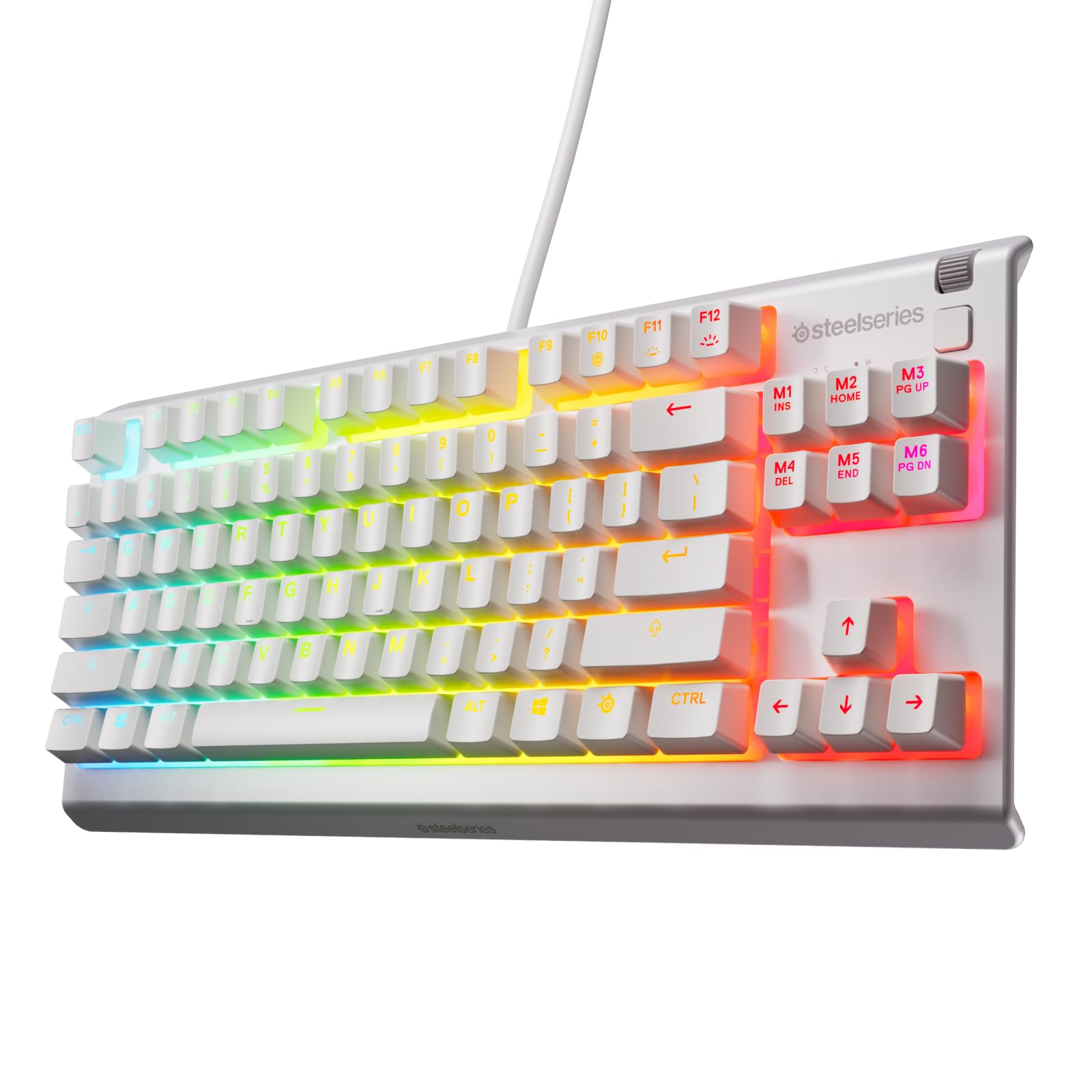
2,000+ ratings
Read Amazon ReviewsSteelSeries Apex 3 TKL
Choose the Apex Pro TKL Gen 3 if adjustable actuation and its dedicated rapid input controls are central to your gaming setup.
Consider the Apex 3 TKL if you want a compact keyboard with quieter switches and resistance features instead of extensive switch tuning.
- The Apex 3 TKL is a tenkeyless keyboard with whisper-quiet switches, anti-ghosting keys, water and dust resistance, and 8-zone RGB illumination.
- The Apex Pro TKL Gen 3 centers on adjustable magnetic switches, Rapid Trigger, Rapid Tap, and OLED-based configuration.
Computer Keyboards alternative
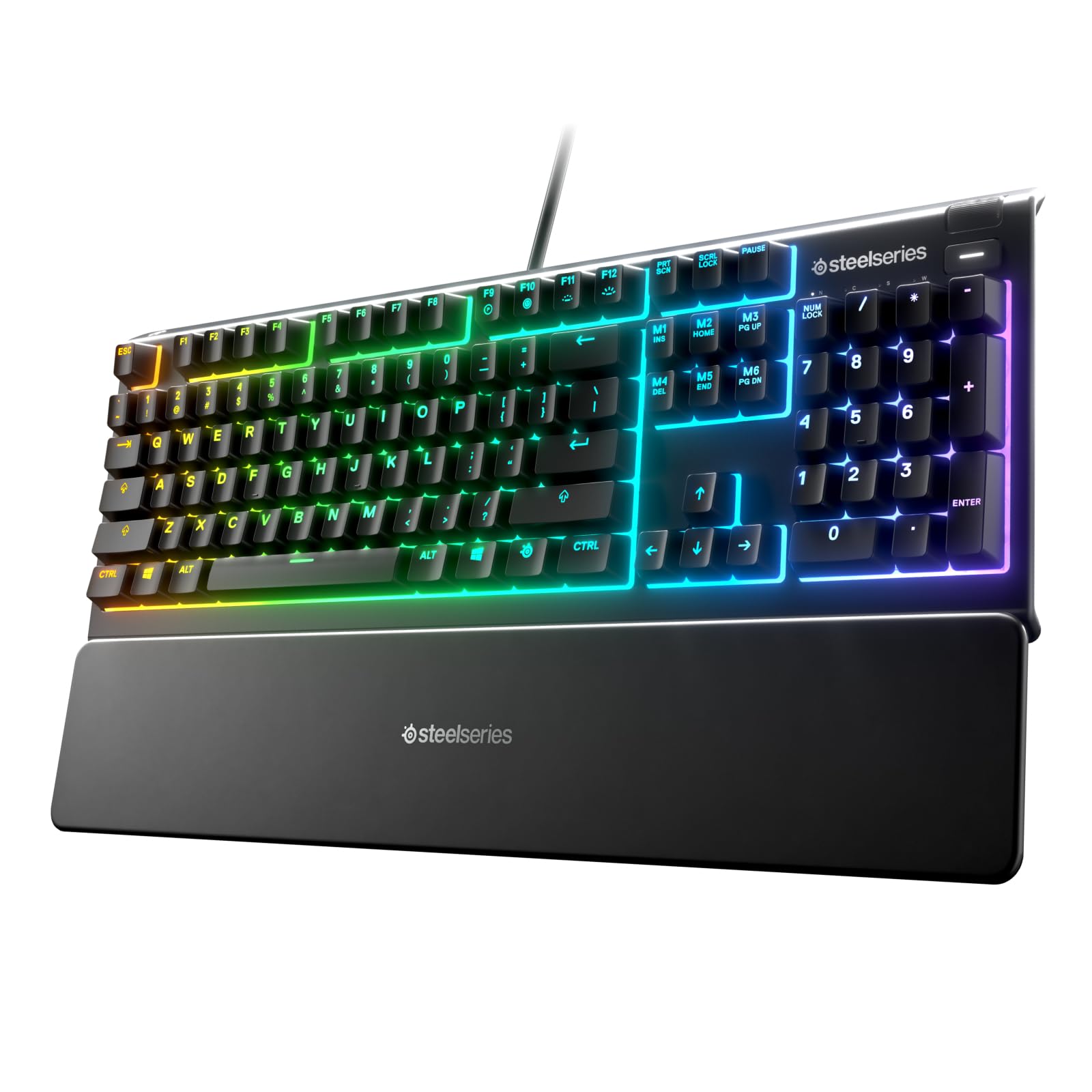
8,000+ ratings
Read Amazon ReviewsSteelSeries Apex 3
The Apex Pro TKL Gen 3 is the more relevant fit for players seeking precise actuation adjustments and rapid input modes.
The Apex 3 may suit buyers who prefer a wrist rest and dedicated media controls, and who want a full-size keyboard layout.
- The Apex 3 has a 10-zone RGB layout, whisper-quiet gaming switches, a magnetic wrist rest, dedicated multimedia controls, and IP32 water resistance.
- The Apex Pro TKL Gen 3 uses a tenkeyless layout and emphasizes configurable magnetic switch behavior and game presets.
Is Apex Pro TKL Worth It?
The SteelSeries Apex Pro TKL Gen 3 is worth considering if your gaming routine can benefit from adjustable actuation, rapid reset behavior, and game-specific configuration.
Its OLED display and onboard saves add practical access to those settings, while the TKL layout keeps the design compact.
Buy it when you expect to use its tuning and input features and are comfortable with a tenkeyless layout. If you want a simpler board or need a full-size arrangement, compare your layout and control priorities before choosing.
Your review at a glance
500+ ratings
Read Amazon ReviewsSteelSeries Apex Pro TKL Gen 3
A compact wired gaming keyboard for players who want adjustable key actuation, rapid input features, and settings they can manage from the board.
- OmniPoint 3.0 analog magnetic Hall Effect switches with 40 actuation levels, adjustable from 0.1 mm to 4.0 mm.
- Rapid Trigger is designed to reset a key as soon as it is released, supporting repeated inputs.
- Rapid Tap prioritizes the latest key press for movement actions such as strafing and dodging.
- Protection Mode is a patent-pending feature intended to reduce accidental key presses on nearby keys.