The best microphones for video calls make your voice easier to hear and give you useful control over mute, placement and monitoring. Choose a simple USB desktop mic for quick setup, or a model with a boom arm or multiple pickup patterns if your room and calls need more flexibility.
Quick Top Products
MAONO GamerWave DGM20
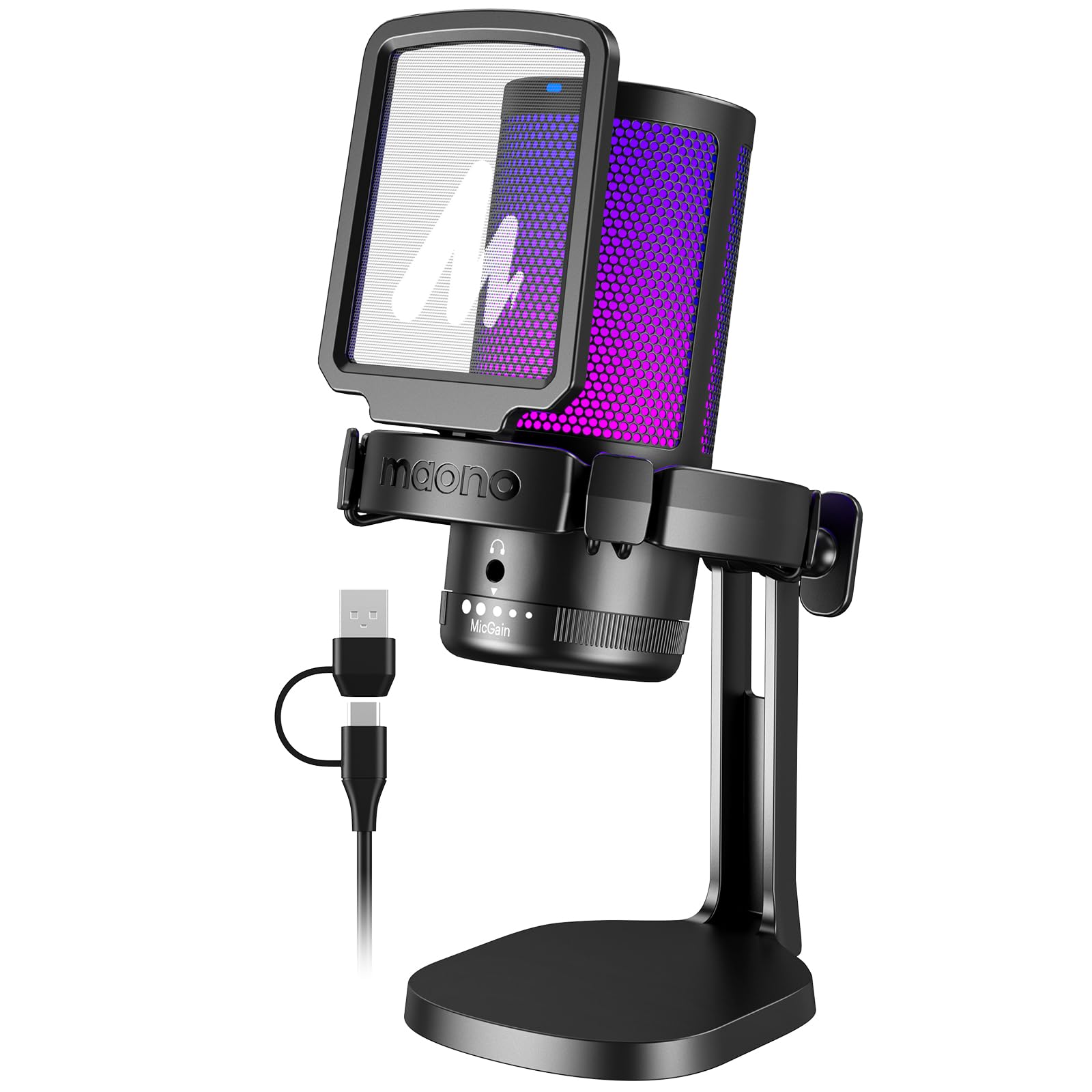
- One-key noise cancellation and a cardioid pattern focus on voice while helping suppress background sound.
- A gain control knob, one-click mute function and 3.5 mm headphone monitoring jack support hands-on audio control and monitoring.
- The included USB and USB-C cable works with PCs, Macs and PS5.
Best For: Callers who want a one-touch noise cancellation option and quick USB setup.

Samson Q9U
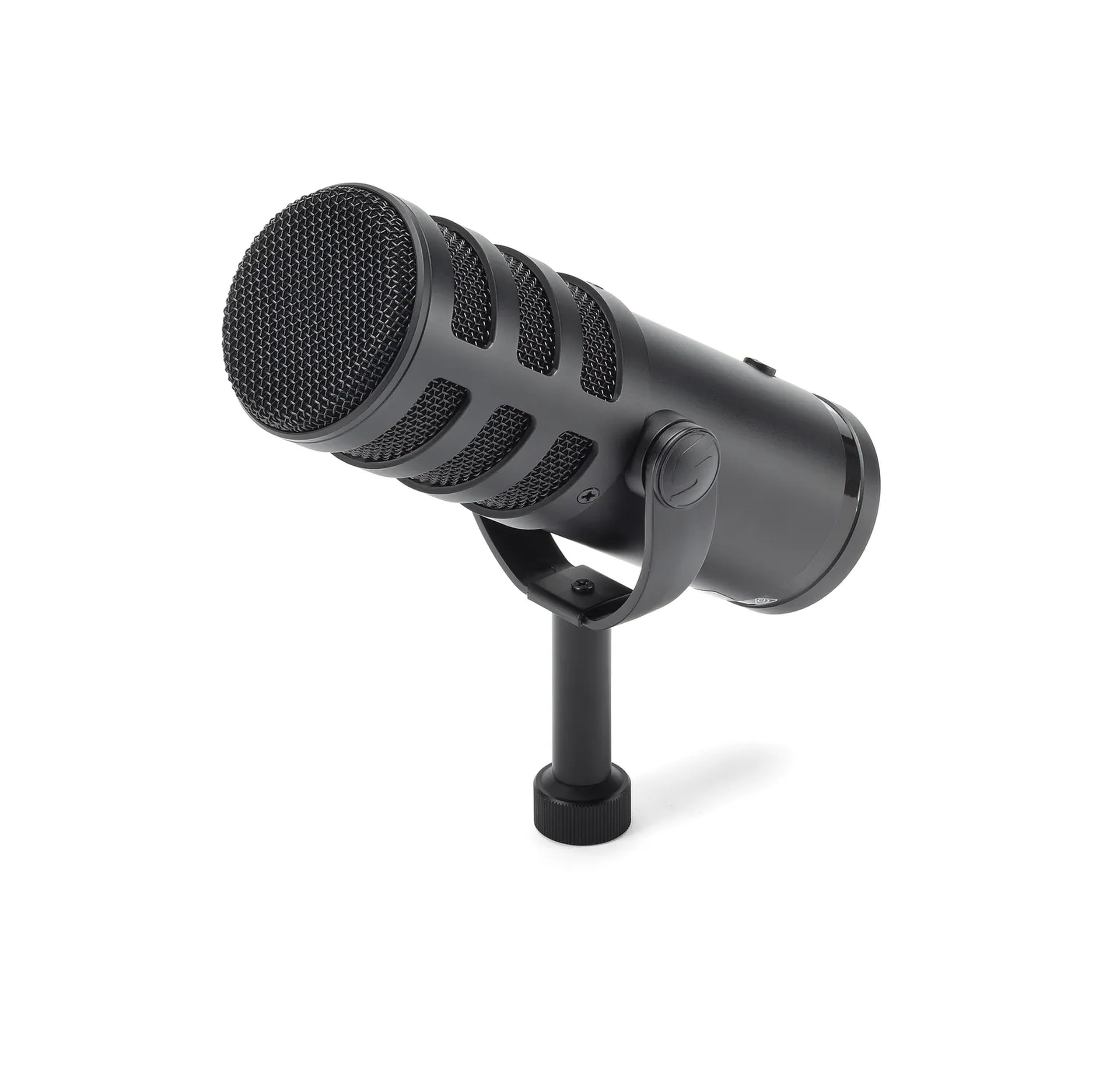
- USB-C and XLR outputs support direct computer use or a mixer and interface setup.
- Zero-latency headphone monitoring and an onboard mute switch are built in.
- The cardioid pattern and dual-layer windscreen help focus speech and manage plosives.
Best For: People who want a broadcast-style dynamic mic that can connect directly by USB-C or join an XLR setup.
MAONO PD400X
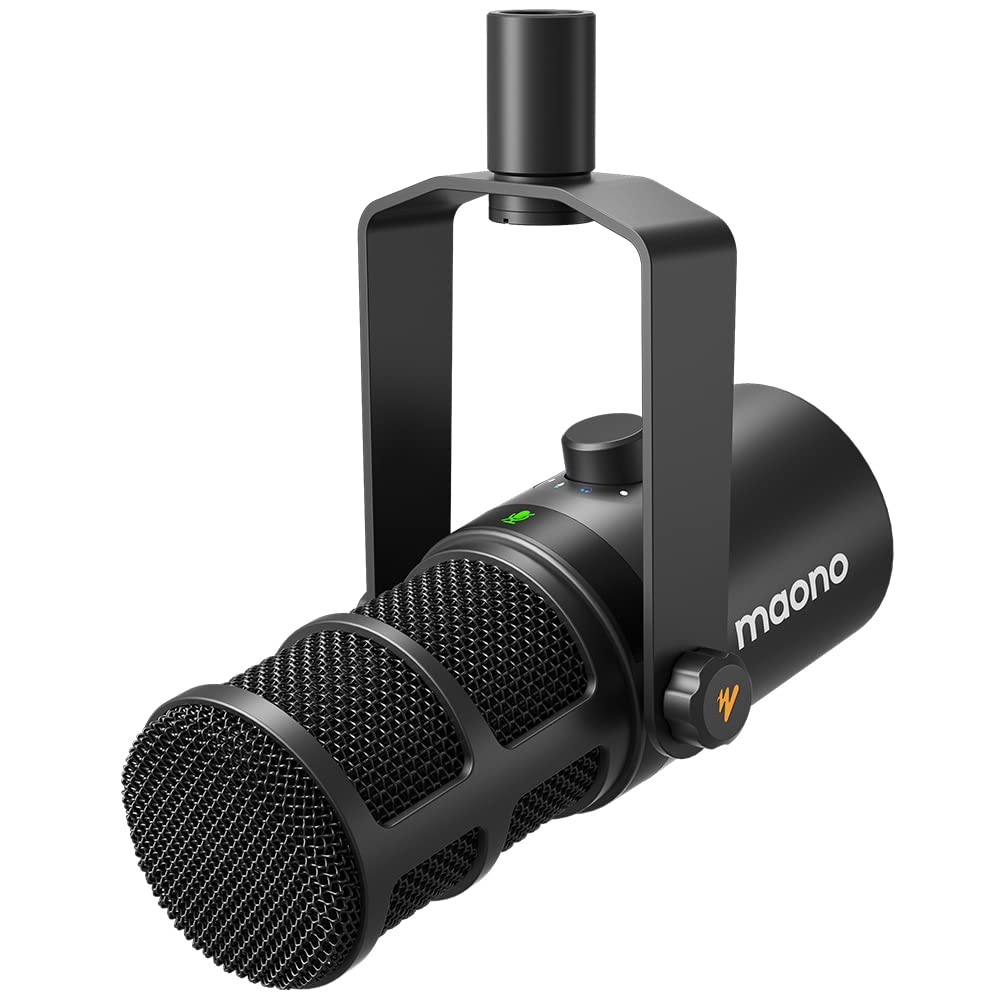
- USB plug-and-play and XLR output cover direct computer use and interface connections.
- MAONO Link offers EQ, limiter and compressor controls in Advanced Mode.
- A touch mute key and three-in-one knob control the mic and monitoring.
Best For: Callers who want app-based EQ and monitoring controls alongside USB and XLR connectivity.
JLab Talk USB Microphone
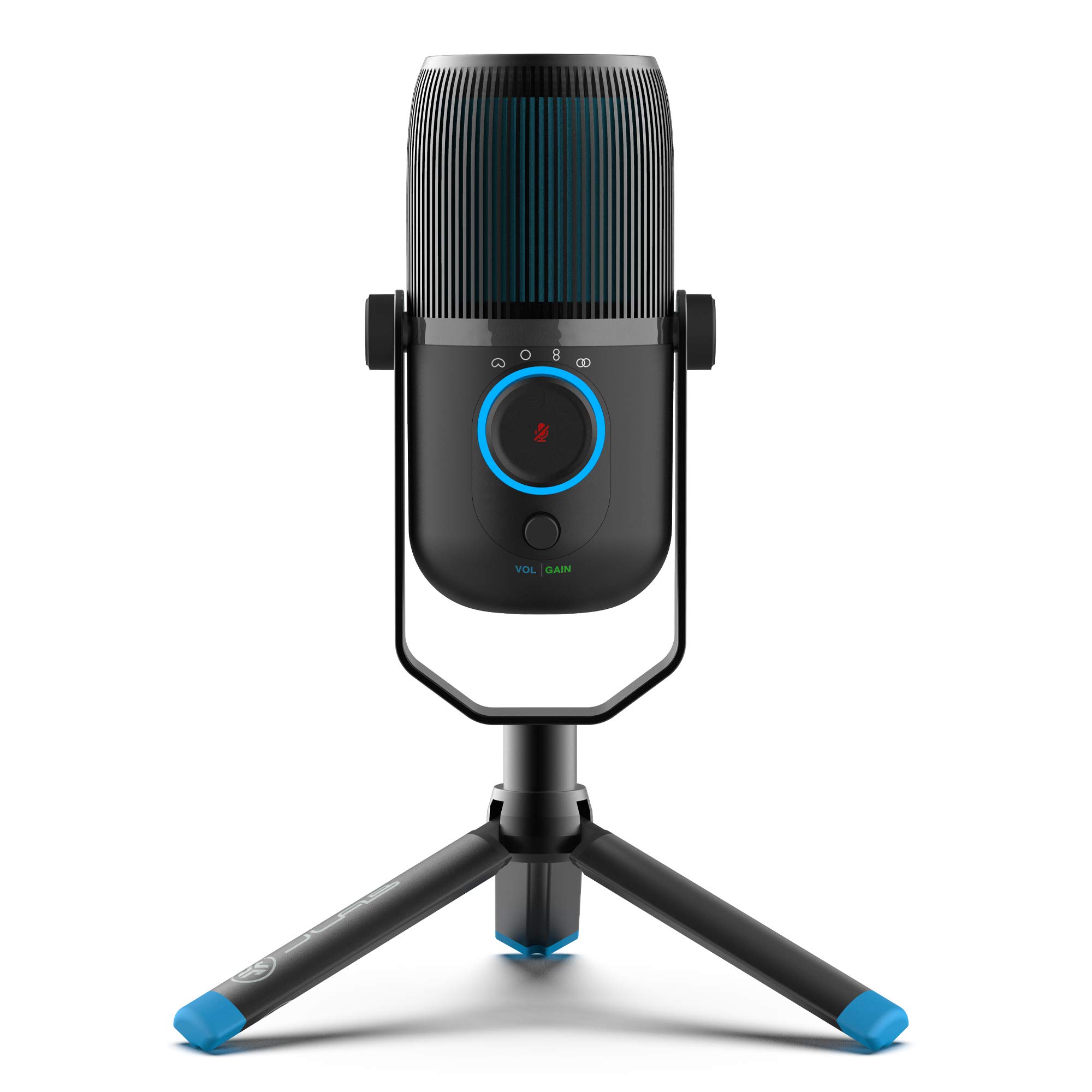
- Four pickup modes include cardioid, omnidirectional, stereo and bidirectional.
- Gain, volume and real-time listening controls are available on the mic.
- The plug-and-play USB cable works without drivers.
Best For: Callers who sometimes need solo voice pickup and sometimes record or meet with several people.
FIFINE K683A

- It supports USB-A or USB-C and works without an extra driver.
- Gain and mute controls plus a headphone jack are built in.
- The package includes a foldable tripod stand and detachable pop filter.
Best For: People who want a fixed desktop microphone with physical gain, mute and monitoring controls.
FIFINE AmpliGame AM8 White

- USB and XLR connections offer direct computer or mixer use.
- Tap-to-mute, gain, headphone jack and headphone volume controls are provided.
- The suggested recording range is 2 to 6 inches.
Best For: Callers wanting a dynamic USB mic with an included arm, headphone monitoring and a future XLR option.
FIFINE AmpliTank K688
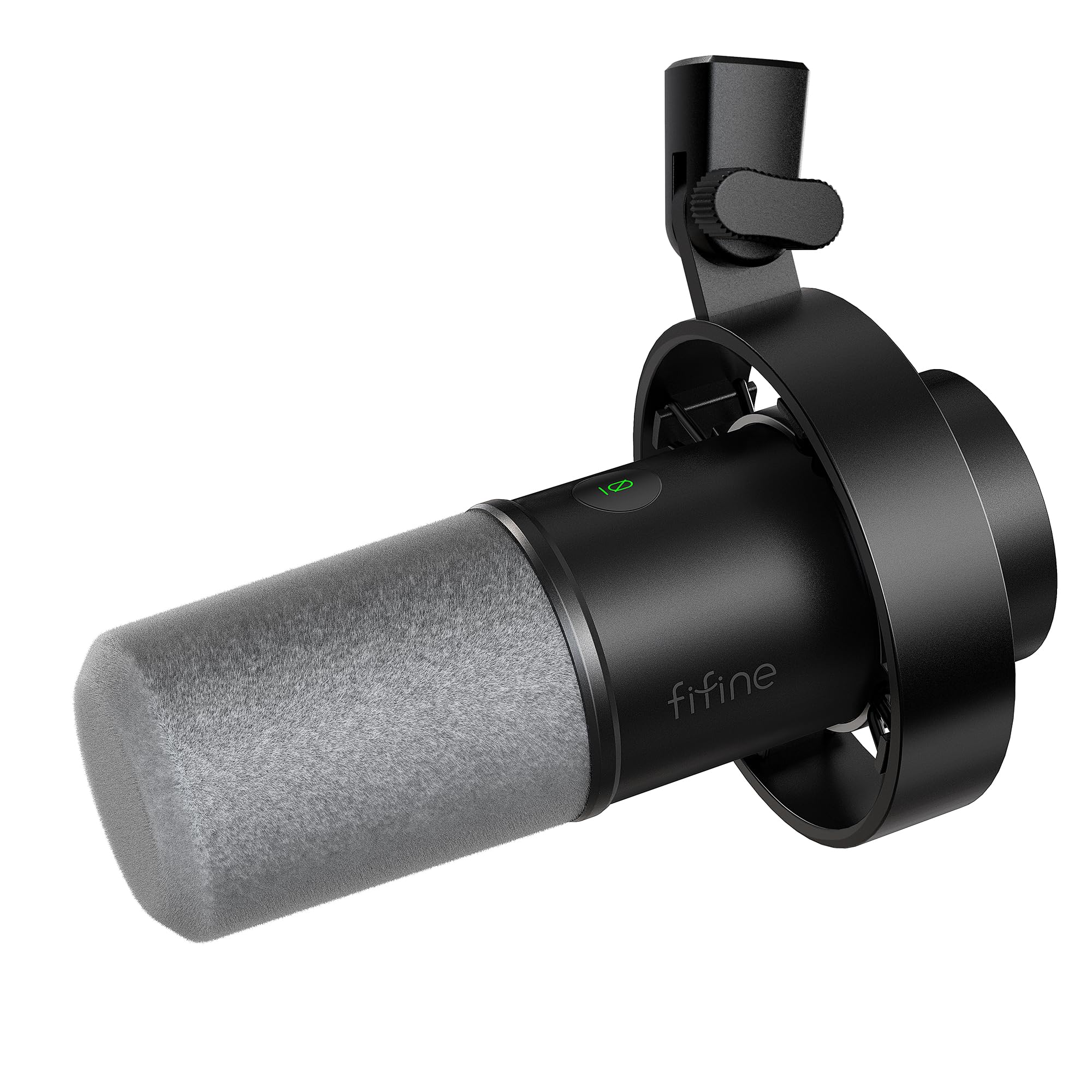
- USB and XLR connectivity support computer calls and audio interface setups.
- USB mode provides mute, gain and headphone monitoring controls.
- The package includes a shock mount and windscreen.
Best For: Callers who can place a dynamic microphone close and want USB controls with XLR connectivity available.
Samson Meteor Mic
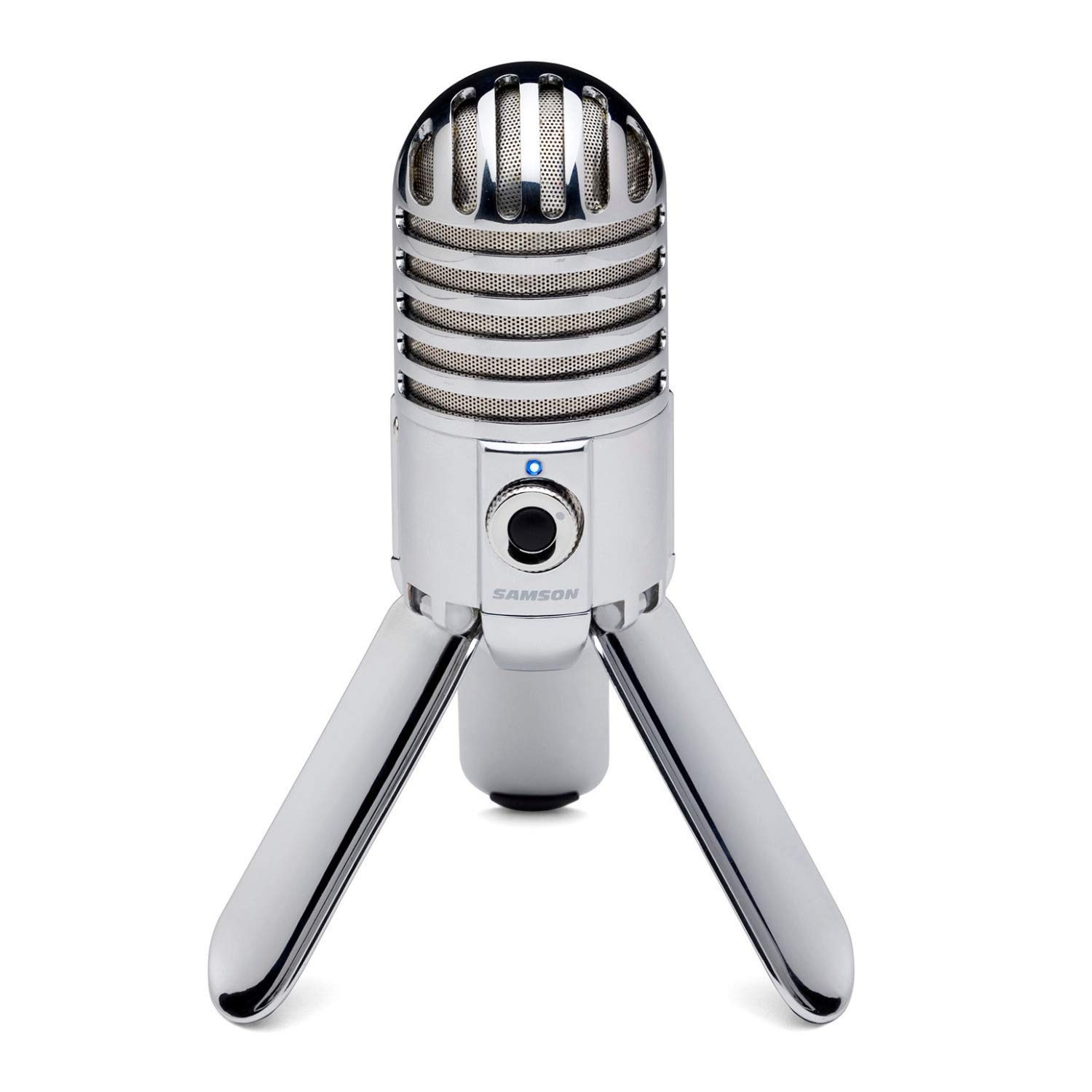
- Fold-back legs support positioning and easier transport.
- The cardioid pattern focuses on sound in front of the microphone.
- A headphone output with level control supports zero-latency monitoring.
Best For: Callers who want a compact desktop USB mic with foldable legs and headphone monitoring.
SteelSeries Alias
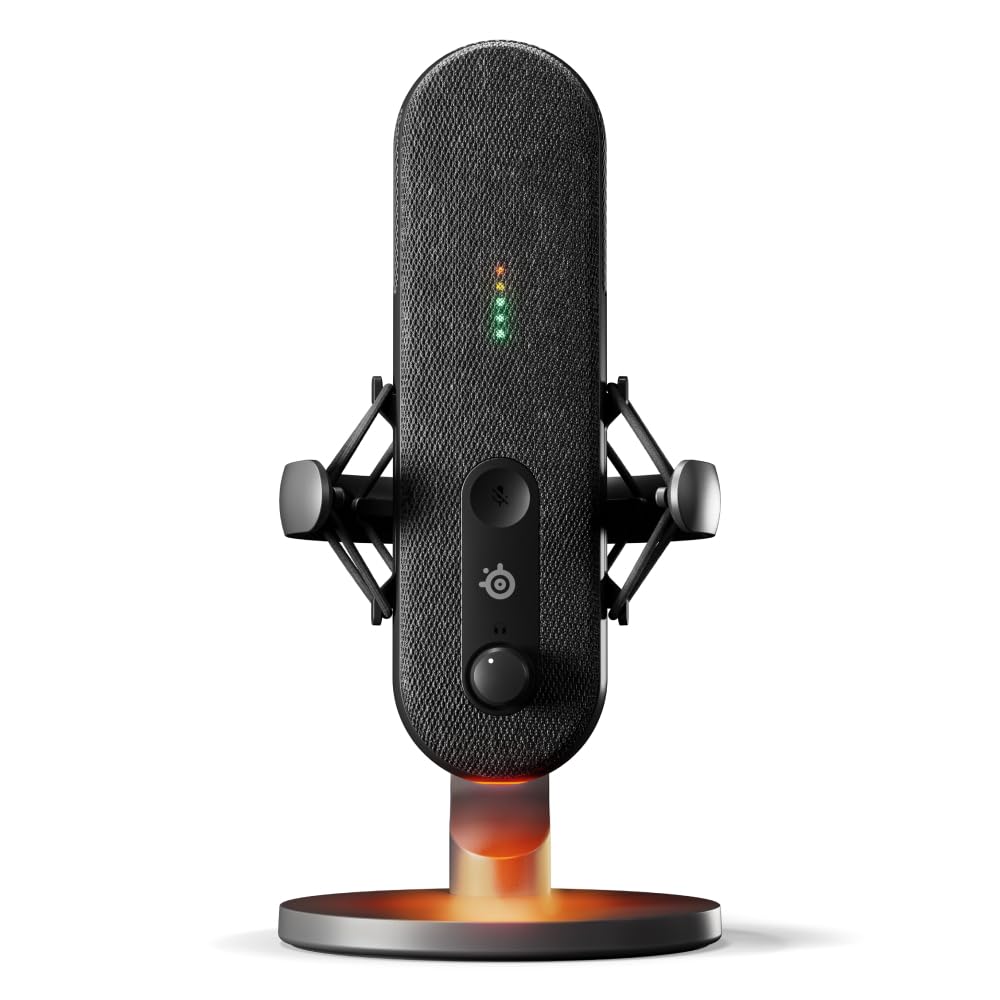
- The Sonar software includes mixing, app routing and AI noise cancellation.
- LED lighting indicates audio level and mute status.
- An integrated shock mount and desktop stand are included features.
Best For: Streamers and callers who want USB convenience, visible status indicators and software audio tools.
Noise Control for Busy Rooms
MAONO USB Gaming Microphone for PC, Noise Cancellation Condenser Mic with RGB, Mute, Gain, Computer Desk Mic for Streaming, Podcast, Chat, Twitch, YouTube, Discord, PS5, PS4, GamerWave DGM20 Black
The MAONO DGM20 pairs a cardioid pickup pattern with a one-key noise cancellation function, so it suits callers who want to reduce distracting room sounds without adding a separate audio interface. Its gain knob and one-click mute put common adjustments within reach, and the headphone jack supports real-time monitoring.
USB and USB-C connectivity covers PCs, laptops, Macs and PS5, making it easy to move between a work computer and a compatible console. Noise cancellation software is available only on Windows, so Mac users should check whether the microphone's onboard controls meet their needs.
Best For: Callers who want a one-touch noise cancellation option and quick USB setup.
| Pros | Cons |
|---|---|
|
|
Choose the DGM20 if background noise is a priority and you want to manage mute and gain without opening software. It connects by USB or USB-C and includes headphone monitoring, but its advanced noise cancellation software is Windows-only.
Check the package contents and desk placement needs before buying, since a stand or arm is not specified in the available details.
XLR and USB-C Call Flexibility
SAMSON Q9U XLR/USB Dynamic Broadcast Microphone
The Samson Q9U offers both USB-C and XLR connections, giving it room to grow from a direct-to-computer setup into a mixer or audio interface arrangement. Its cardioid pattern focuses pickup toward the speaker, while an onboard mute switch silences both outputs.
The mic also has zero-latency headphone monitoring and a dual-layer windscreen to help manage plosives. It is a dynamic broadcast microphone, so place it close enough to your voice for a video call and allow space for its larger form than a compact desktop mic.
Best For: People who want a broadcast-style dynamic mic that can connect directly by USB-C or join an XLR setup.
| Pros | Cons |
|---|---|
|
|
Pick the Q9U if you expect to move between a straightforward computer call setup and an XLR mixer or interface. Its mute switch and headphone monitoring suit active calls, while the cardioid pickup and windscreen support close speech.
Confirm what mounting hardware and cable come in the package, and make sure your desk can accommodate a broadcast-style microphone.
Software-Tuned USB or XLR Audio
MAONO Dynamic Microphone, USB/XLR Podcast PC Microphone with Software, EQ,Tap-to-Mute, Headphone Jack, Gain Knob & Volume Control, Studio Mic for Broadcast, Recording, Streaming & Gaming (PD400X)
The MAONO PD400X combines USB plug-and-play with XLR output, so it can serve for everyday computer calls and a more involved audio setup. Its dynamic capsule and cardioid pattern are intended to keep attention on the voice, while MAONO Link provides tone and processing adjustments in USB mode.
The three-in-one digital knob handles mic gain, headphone volume and monitor mix, and a touch key mutes the mic. If you plan to use XLR, the app controls won't be part of that connection path, so consider whether USB is your preferred call setup.
Best For: Callers who want app-based EQ and monitoring controls alongside USB and XLR connectivity.
| Pros | Cons |
|---|---|
|
|
The PD400X suits someone who wants to tune microphone sound in software and retain an XLR path for later. For ordinary video calls, USB offers the direct setup and makes the app controls available.
If you plan to connect over XLR, choose the mic for its hardware and capsule rather than expecting its USB processing features. Check mounting and cable requirements, since those package details are not provided here.
Four Pickup Modes for Different Call Setups
JLab Talk USB Microphone, USB-C Output, Cardioid, Omnidirectional, Stereo or Bidirectional, 96k Sample Rate, 20Hz, 20kHz Frequency Response, Volume, Gain Control, Quick Mute, Plug & Play
The JLab Talk is a desktop USB microphone with four directional pattern modes: cardioid, omnidirectional, stereo and bidirectional. That range is useful if your microphone will serve for solo calls as well as small group discussions or recordings.
A gain control, volume control and 3.5 mm AUX input provide direct adjustment and real-time listening. It connects by USB or USB-C, requires no drivers and has a 5/8-inch mounting input for compatible stands.
Check your preferred connection and placement, since the details do not identify an included desk stand.
Best For: Callers who sometimes need solo voice pickup and sometimes record or meet with several people.
| Pros | Cons |
|---|---|
|
|
Choose the JLab Talk if you need to switch between solo voice pickup and a wider arrangement for a group. Its pattern choices offer more flexibility than a fixed-pattern call mic, and the gain and listening controls are available at the device.
Verify the included mounting hardware and your computer's USB port before ordering; its 5/8-inch mount input is intended for a compatible stand.
Desktop Mic with Mute and Headphone Monitoring
FIFINE USB Desktop PC Microphone with Pop Filter for Computer and Mac, Studio Condenser Mic with Gain Knob Mute Button Headphone Jack for Gaming Streaming Recording YouTube, Extra USB-C Plug-K683A
The FIFINE K683A is a USB desktop condenser microphone intended for computers and video meetings. It connects to USB-A or USB-C devices without an extra driver, and its cardioid pattern centers pickup on a speaker positioned in front of the mic.
A gain knob and instant mute button are easy to reach, while the 3.5 mm headphone jack allows real-time monitoring. The foldable tripod stand keeps setup simple, and a detachable pop filter is included.
It is incompatible with Xbox, and you should orient the logo side toward your voice.
Best For: People who want a fixed desktop microphone with physical gain, mute and monitoring controls.
| Pros | Cons |
|---|---|
|
|
Choose the K683A for a straightforward desk setup with its own tripod, mute, gain and headphone monitoring. It avoids the need for a boom arm and supports USB-A or USB-C devices.
Keep the mic's logo side facing you for the intended pickup direction. If you need an arm to clear desk space or plan to use an Xbox, this model does not fit those needs.
Dynamic Mic with Monitoring and Boom Arm
FIFINE XLR/USB Gaming Microphone for Streaming Podcasting, PC Computer RGB Mic, with Gain Knob, Mute Button, Monitoring Jack, Gamer Mic for Recording Video Creation-AmpliGame AM8 White
The FIFINE AmpliGame AM8 combines USB and XLR connectivity with a dynamic cardioid microphone and a desktop boom arm. On USB, its gain knob and tap-to-mute control make call adjustments convenient, and a headphone jack with volume control supports monitoring.
RGB lighting can be switched or changed from its button, though it is available only over USB. The recommended recording range is 2 to 6 inches, which means it suits callers willing to keep the microphone close rather than relying on distant pickup.
Check whether the included cable and arm suit your desk arrangement.
Best For: Callers wanting a dynamic USB mic with an included arm, headphone monitoring and a future XLR option.
| Pros | Cons |
|---|---|
|
|
The AM8 suits a caller who can position a dynamic mic close and wants an arm in the box. USB provides the mute, gain and headphone controls, while XLR gives a path to external audio equipment.
Keep in mind the 2 to 6 inch suggested recording range and confirm whether you need to buy an XLR cable. Its gaming-oriented RGB may also matter if you prefer an unobtrusive work setup.
Dynamic Mic for Close Voice Pickup
FIFINE Dynamic Microphone, XLR/USB Podcast Recording PC Microphone for Vocal Voice-Over Streaming, Studio Metal Mic with Mute, Headphone Jack, Monitoring Volume Control, Windscreen-Amplitank K688
The FIFINE AmpliTank K688 is a dynamic microphone with USB and XLR outputs, a cardioid pattern and a windscreen. USB connects directly to a computer and enables the tap-to-mute and gain controls, headphone monitoring and monitoring volume adjustment.
The shock mount helps isolate desk and mechanical vibration. This package does not include a boom arm or mic stand, so plan a separate mount and keep the microphone close to your voice.
An XLR cable is also sold separately if you intend to use that output.
Best For: Callers who can place a dynamic microphone close and want USB controls with XLR connectivity available.
| Pros | Cons |
|---|---|
|
|
Choose the K688 if you want a dynamic mic with USB call controls and an XLR option, and already have or plan to buy a stand. Its shock mount and windscreen are included, but the arm, stand and XLR cable are not.
Place it close to your mouth as directed for this type of setup; it is less convenient if you want a complete desk kit straight out of the box.
Foldaway Desktop USB Design
Samson Meteor Mic USB Condenser Podcasting Podcast Recording Desktop Microphone
The Samson Meteor is a USB condenser microphone with fold-back legs that make it easier to stow or transport between workspaces. Its cardioid pickup pattern is aimed at sound in front of the mic, while the 1-inch capsule and flat 20Hz–20kHz frequency response support voice and instrument recording.
A headphone output with level control allows zero-latency monitoring. This compact design suits a desk without a boom arm, though it does not include the call-focused control set found on some alternatives.
Check your computer's USB connection and whether a separate adapter is needed.
Best For: Callers who want a compact desktop USB mic with foldable legs and headphone monitoring.
| Pros | Cons |
|---|---|
|
|
The Meteor is a sensible pick if portability and a self-supporting desktop shape matter more than extensive call controls. Its fold-back legs and headphone monitoring make it usable without an arm or separate stand.
Before purchasing, check your connection requirements and whether a mute or gain control is essential for your meetings, since those controls are not specified in the available details.
USB Mic with Onboard Level and Mute Indicators
SteelSeries Alias USB Mic for PC — 3x Bigger Capsule for Gaming, Streaming and Podcasting — Sonar for Streamers Audio Software — AI Noise Cancelling — LED Mute & Level Monitoring — Shock Mount
The SteelSeries Alias is a USB microphone with a cardioid pattern, integrated shock mount and software for audio mixing and noise cancellation. Green-to-red LED lighting shows audio level and mute status at a glance, which can help when you want a quick visual check during a call.
Its larger capsule is described as up to three times bigger than other mics, and a desktop stand is included. A boom arm is sold separately.
The software adds useful routing and processing, so this model is most appealing if you are comfortable configuring desktop audio tools.
Best For: Streamers and callers who want USB convenience, visible status indicators and software audio tools.
| Pros | Cons |
|---|---|
|
|
Pick the Alias if you want a USB mic with a desktop stand, visible mute and level indicators, and software-based audio routing. Its integrated shock mount is useful on a desk, while the software may be more involved than a basic plug-and-play call setup.
A boom arm costs extra, so check that the included desktop stand gives you the positioning you need.
How to Choose Microphones For Video Calls
How We Picked Microphones for Video Calls
We prioritized microphones with a clear path to a computer, practical controls for live conversations and features that help focus on speech. USB mics with mute or gain controls suit quick calls, while headphone monitoring helps catch a quiet or distorted signal before it becomes a problem.
We also included different desk arrangements. The MAONO PD200XS and FIFINE AM8 White come with boom arms, the FIFINE K683A and Samson Meteor use desktop stands or fold-out legs, and the JLab Talk adds four pickup patterns for changing between solo and group use.
Comparing Microphones for Video Calls
A basic USB connection is the easiest fit for everyday meetings. The FIFINE K683A, Samson Meteor and MAONO DGM20 are direct computer options, while the Samson Q9U, MAONO PD400X, MAONO PD200XS, FIFINE AM8 and FIFINE K688 also offer XLR for users with compatible audio equipment.
Controls vary as much as connectivity. The PD400X offers software EQ and processing in USB mode, the DGM20 has a noise cancellation function with additional Windows software, and the JLab Talk changes between four pickup patterns.
The K688 and Q9U emphasize dynamic broadcast-style microphones; both need close placement, while the Meteor and K683A offer a smaller, desk-based approach.
Placement and included accessories affect the real setup. Boom arms on the PD200XS and AM8 move the mic closer and clear desk space.
The K688 has a shock mount but no stand or arm, while the Alias includes a desktop stand and sells its boom arm separately. Check each package and your desk layout before choosing.
| Product | Standout features | Best for |
|---|---|---|
| MAONO GamerWave DGM20Check Price |
| Callers who want a one-touch noise cancellation option and quick USB setup. |
| Samson Q9UCheck Price |
| People who want a broadcast-style dynamic mic that can connect directly by USB-C or join an XLR setup. |
| MAONO PD400XCheck Price |
| Callers who want app-based EQ and monitoring controls alongside USB and XLR connectivity. |
| JLab Talk USB MicrophoneCheck Price |
| Callers who sometimes need solo voice pickup and sometimes record or meet with several people. |
| FIFINE K683ACheck Price |
| People who want a fixed desktop microphone with physical gain, mute and monitoring controls. |
| FIFINE AmpliGame AM8 WhiteCheck Price |
| Callers wanting a dynamic USB mic with an included arm, headphone monitoring and a future XLR option. |
| FIFINE AmpliTank K688Check Price |
| Callers who can place a dynamic microphone close and want USB controls with XLR connectivity available. |
| Samson Meteor MicCheck Price |
| Callers who want a compact desktop USB mic with foldable legs and headphone monitoring. |
| SteelSeries AliasCheck Price |
| Streamers and callers who want USB convenience, visible status indicators and software audio tools. |
Choosing a USB Microphone for Meetings
USB is the practical starting point when you want the microphone to connect directly to a computer. Confirm whether your device uses USB-A or USB-C, and whether the included cable has the right ends.
Some models include a stand or arm, while others require separate mounting hardware.
Look for physical controls that match your call habits. A reachable mute is useful when conversations pause, while gain and headphone monitoring can help you adjust your voice without leaving the meeting.
The K683A, PD200XS and DGM20 offer mute controls, while the Meteor provides headphone monitoring but does not specify a physical mute button.
Microphone Placement and Room Noise
A cardioid pattern focuses pickup toward the front, so position the microphone with its pickup side aimed at your voice. The FIFINE K683A notes that the logo side faces the speaker, and the AM8 suggests a close 2 to 6 inch recording range.
Allow enough desk space for a mic and stand, and check whether a boom clamp fits your desktop.
Noise features address different parts of the setup. A cardioid pattern and close placement can help prioritize speech; shock mounts address vibration from desk contact, while windscreens and pop filters soften plosive sounds.
The DGM20 adds noise cancellation, with its software controls limited to Windows.
Who Should Buy Which Video Call Microphone
For flexible pickup patterns, choose the JLab Talk. For app-based EQ and an XLR path, consider the MAONO PD400X; for USB noise cancellation and quick controls, the DGM20 is a better match.
The PD200XS suits callers who want an included boom arm, while the Q9U fits people planning to connect by USB-C now or XLR later.
Choose the K683A for a simple desktop stand and physical controls, or the Samson Meteor if foldaway portability matters more than a mute button. The FIFINE AM8 combines a boom arm with dynamic USB/XLR flexibility, and the K688 makes sense if you already have mounting hardware.
The SteelSeries Alias is aimed at callers who will use its software and want visible mute and level indicators.