The best mini printers range from pocket sticker makers for notes and crafts to portable printers that handle full-size documents. Choose by matching the print format and paper type to your routine, then check device compatibility and whether computer printing is supported.
Quick Top Products
Phomemo M02 Pro
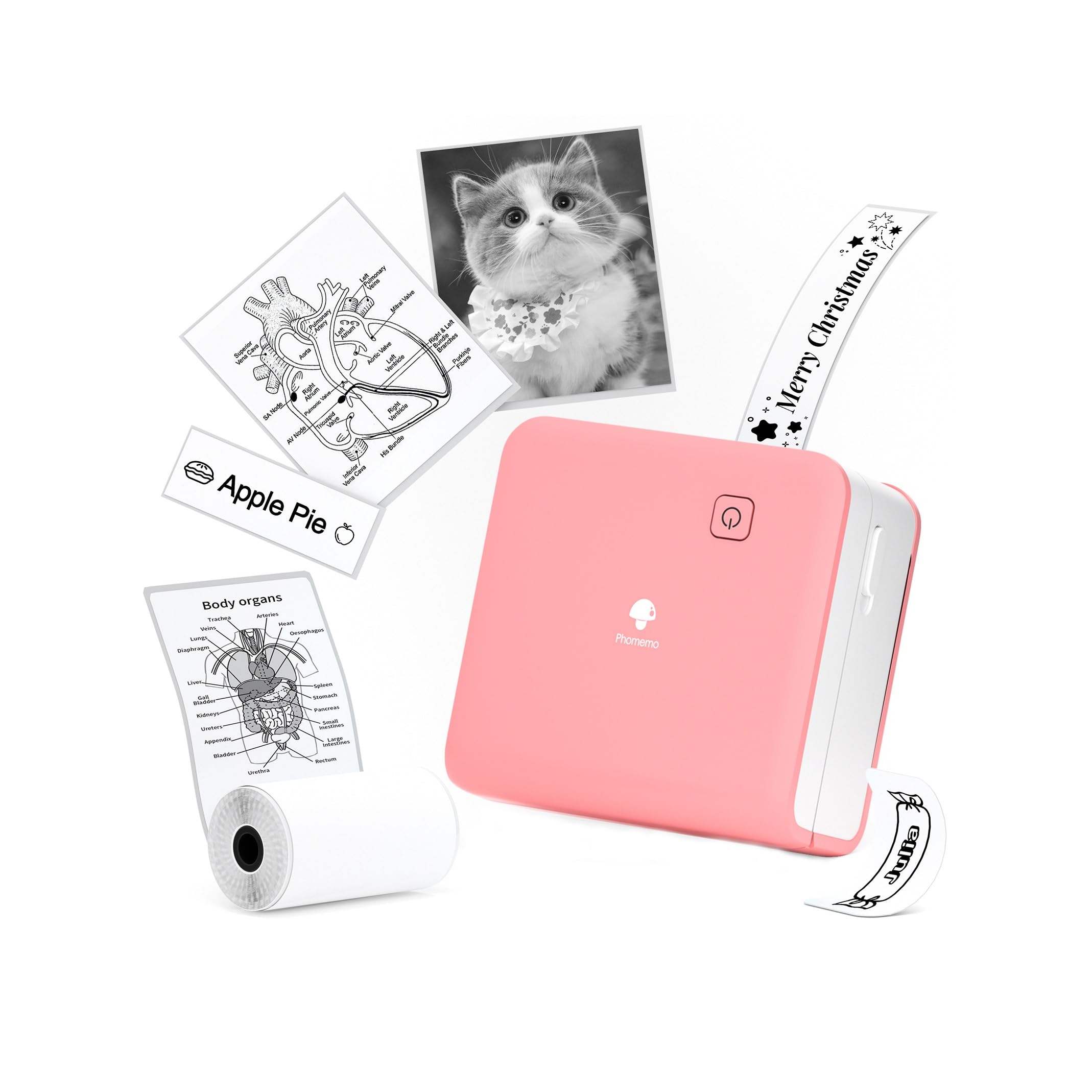
- Prints at 300 DPI using thermal technology.
- Supports 15 mm, 25 mm, and 53 mm thermal paper.
- Connects to a smartphone over Bluetooth.
Best For: Students and crafters who want a pocket printer that works with several label widths.

Phomemo D30 Label Maker
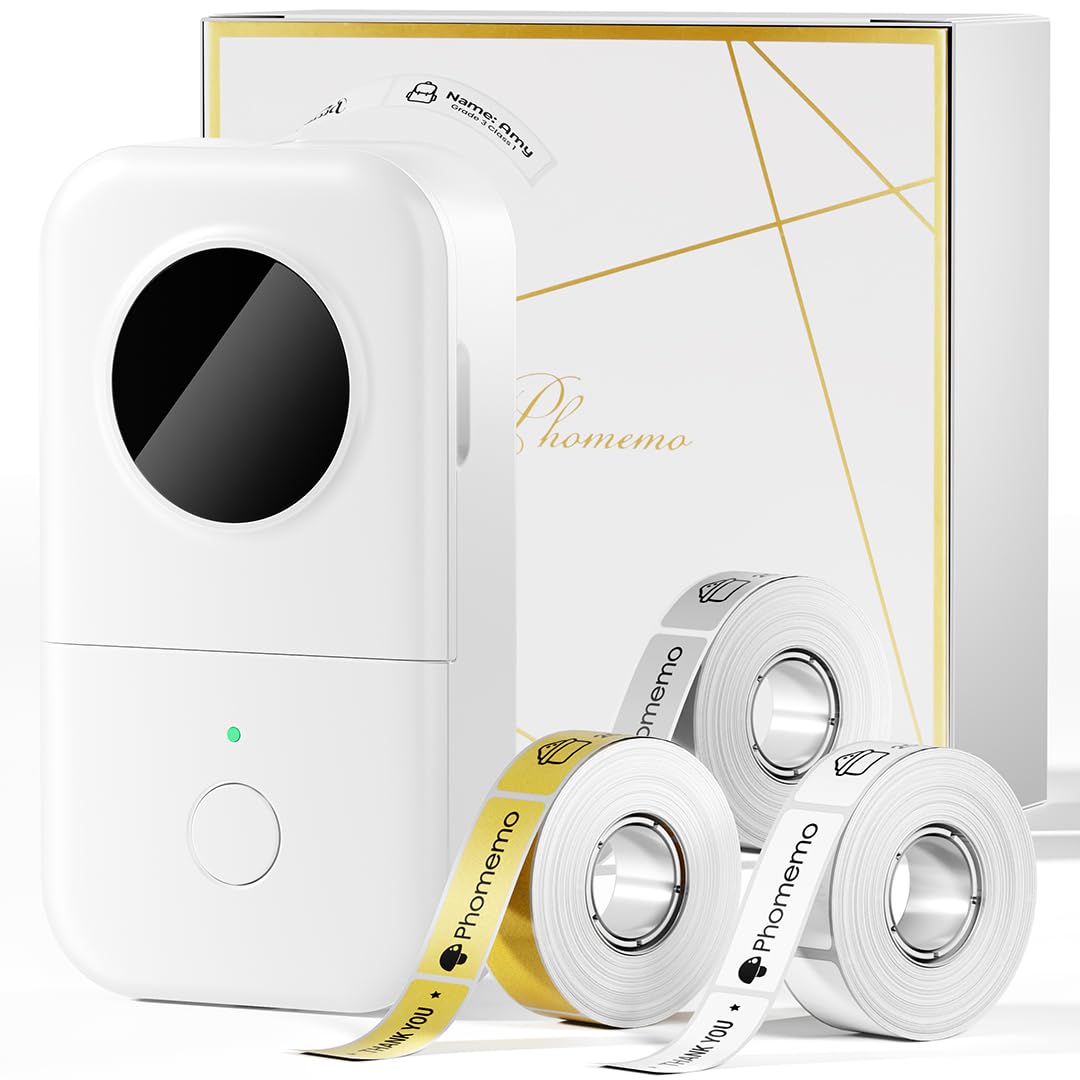
- Includes white, gold, and clear tapes.
- Supports continuous and fixed-length labels.
- Creates label designs in a mobile app with barcodes and QR codes.
Best For: Home organizers and small sellers who want ready-to-use tapes and app-based label design.
Nelko PM230 Print Pod
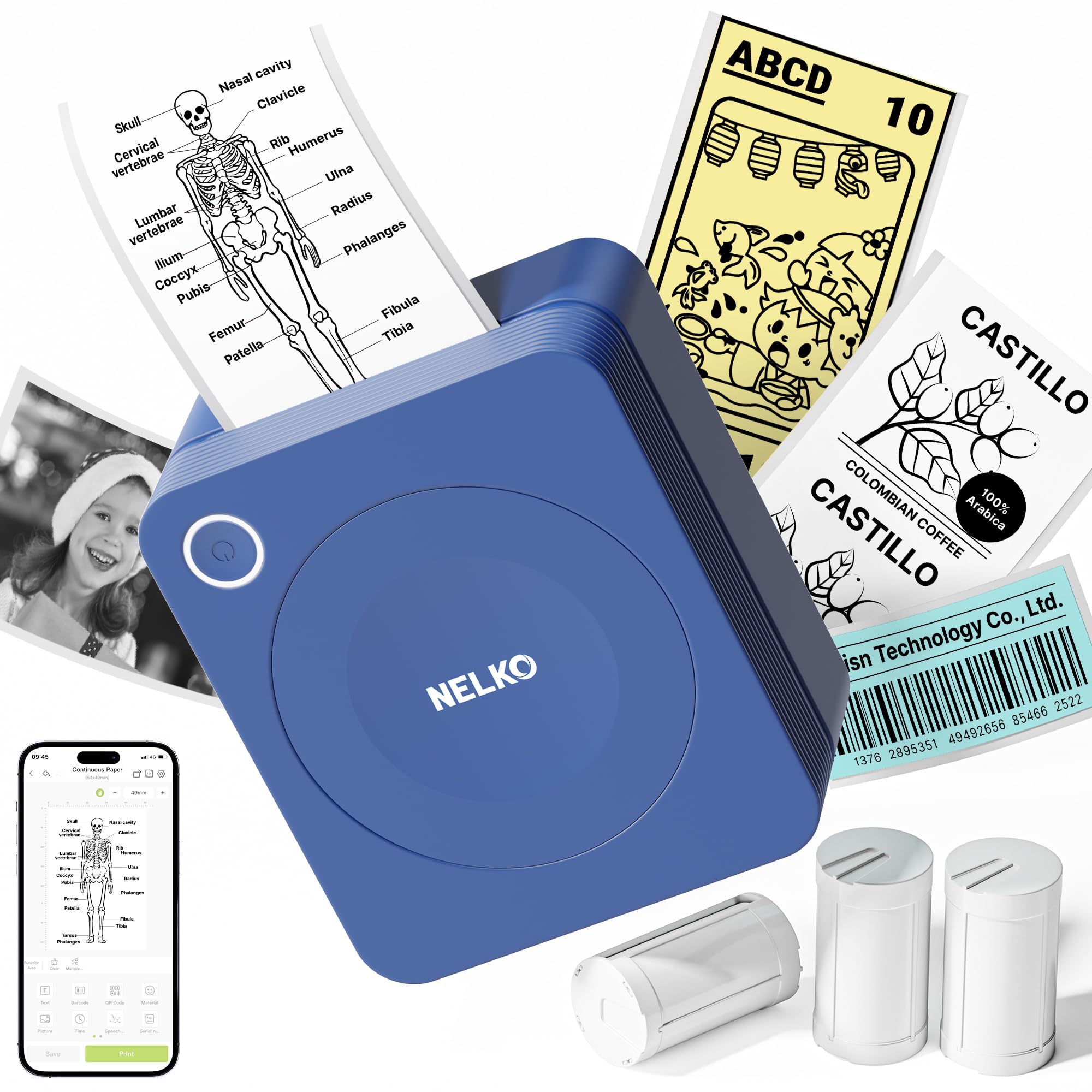
- Comes with three rolls of 54 mm white sticker paper.
- App supports OCR and document scanning.
- Works with iOS and Android phones over Bluetooth.
Best For: Students who want a small Bluetooth printer for notes, diagrams, and custom-cut stickers.
ETIKEZ D90E
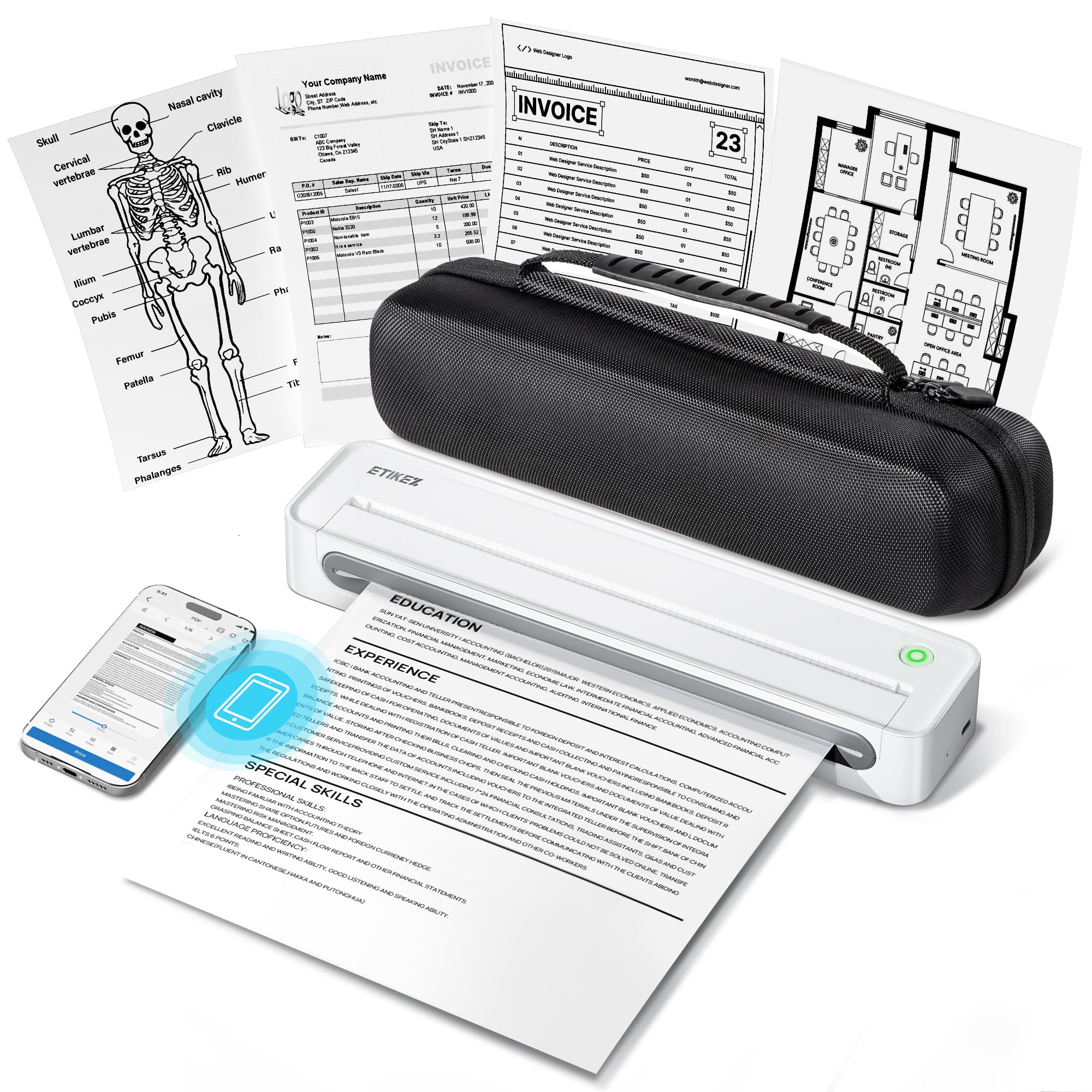
- Supports US Letter thermal paper.
- Includes a travel case and ten-sheet starter pack.
- Connects to phones by Bluetooth and PCs over USB.
Best For: Travelers and mobile workers who need occasional US Letter documents from a phone or PC.
TATTMUSE A28U
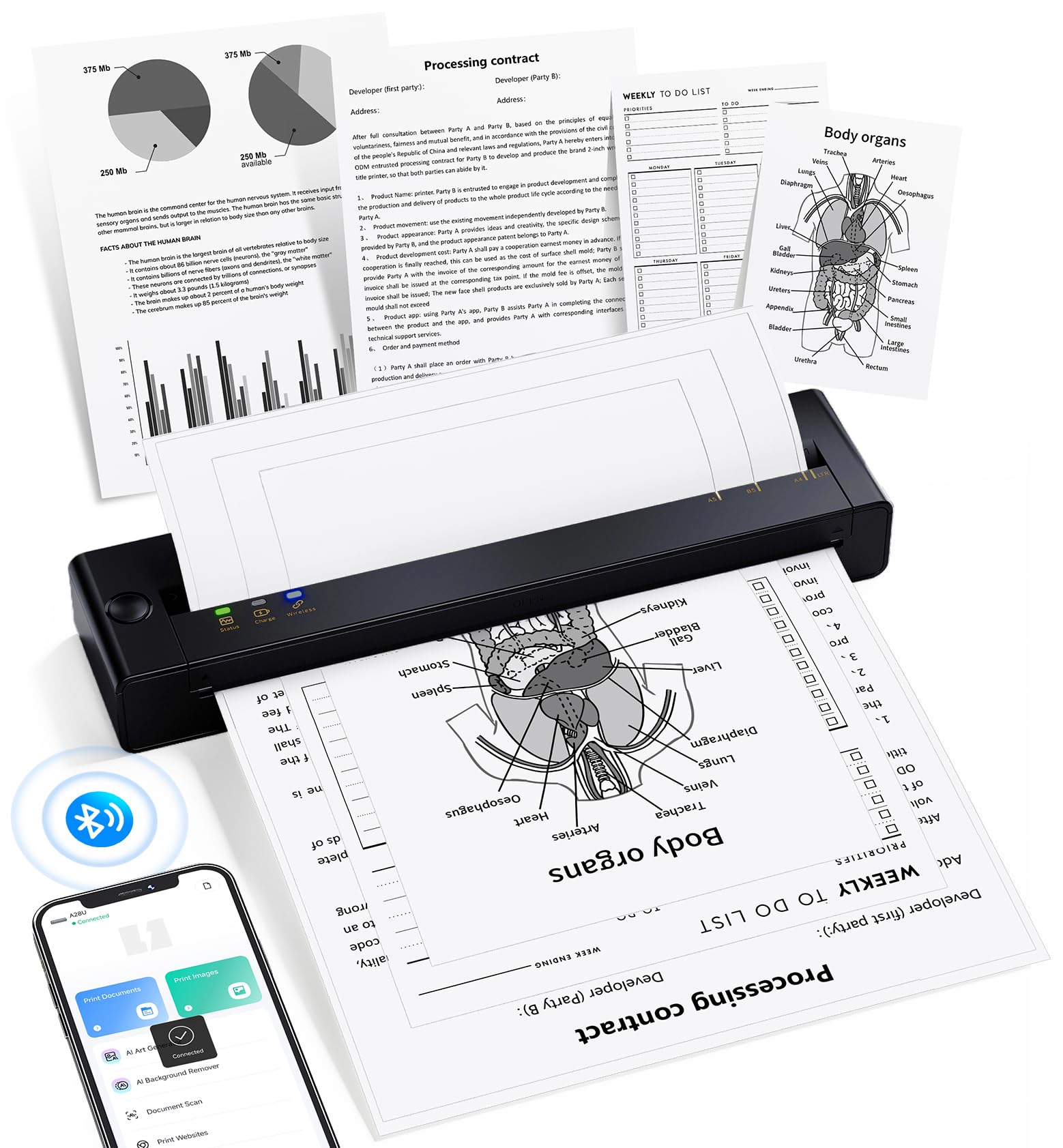
- Supports Letter-size media.
- Uses thermal printing without ink, toner, or ribbons.
- Includes double-tap automatic paper eject and jam release.
Best For: Frequent travelers who want a letter-size thermal printer with automatic paper return features.
TATTMUSE A282M
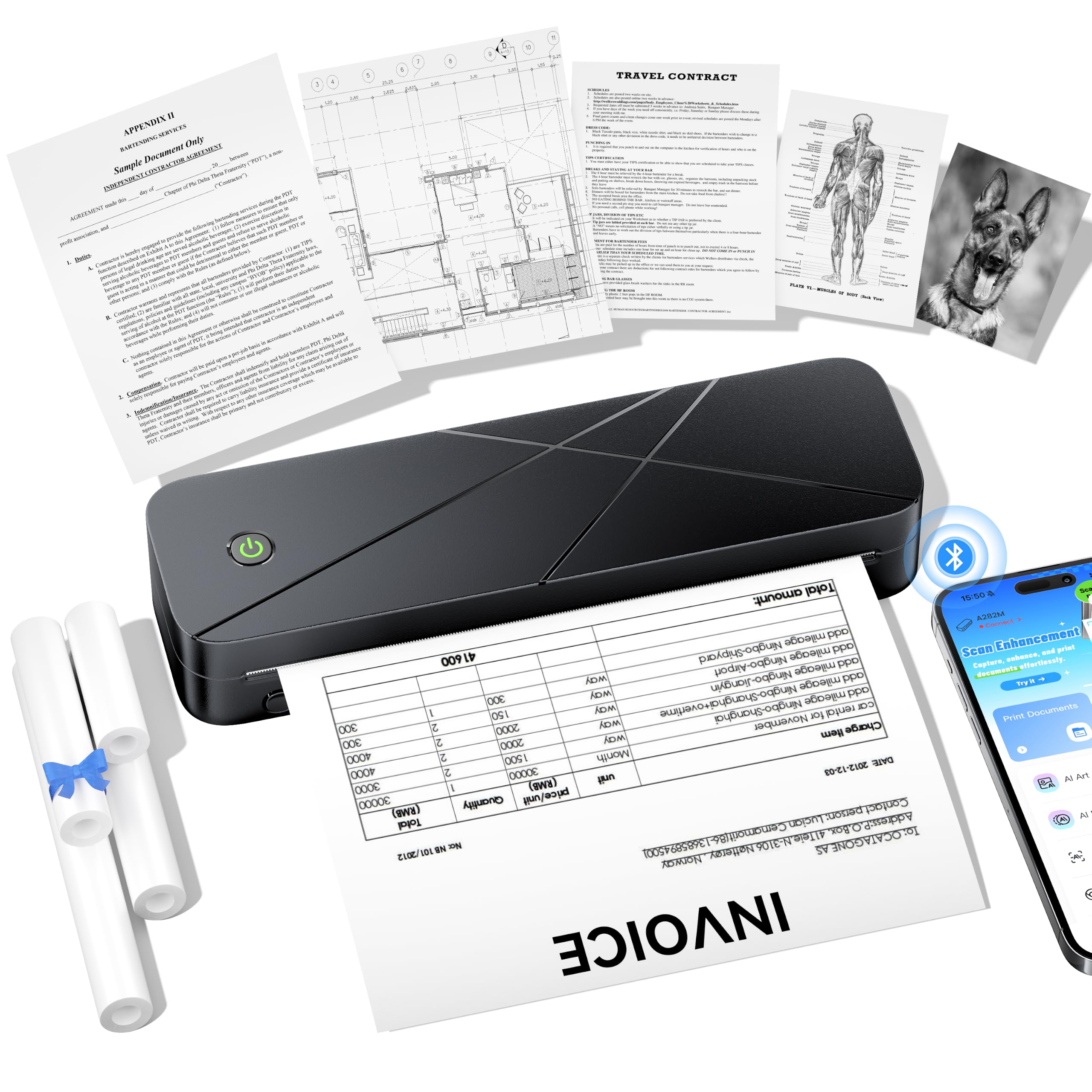
- Tray supports rolls, continuous forms, and single sheets.
- Prints at 300 DPI without ink, toner, or ribbons.
- Supports phones, tablets, and iPads; computers connect by USB-C.
Best For: Households that want one portable printer for a range of thermal paper formats and devices.
Phomemo Q302
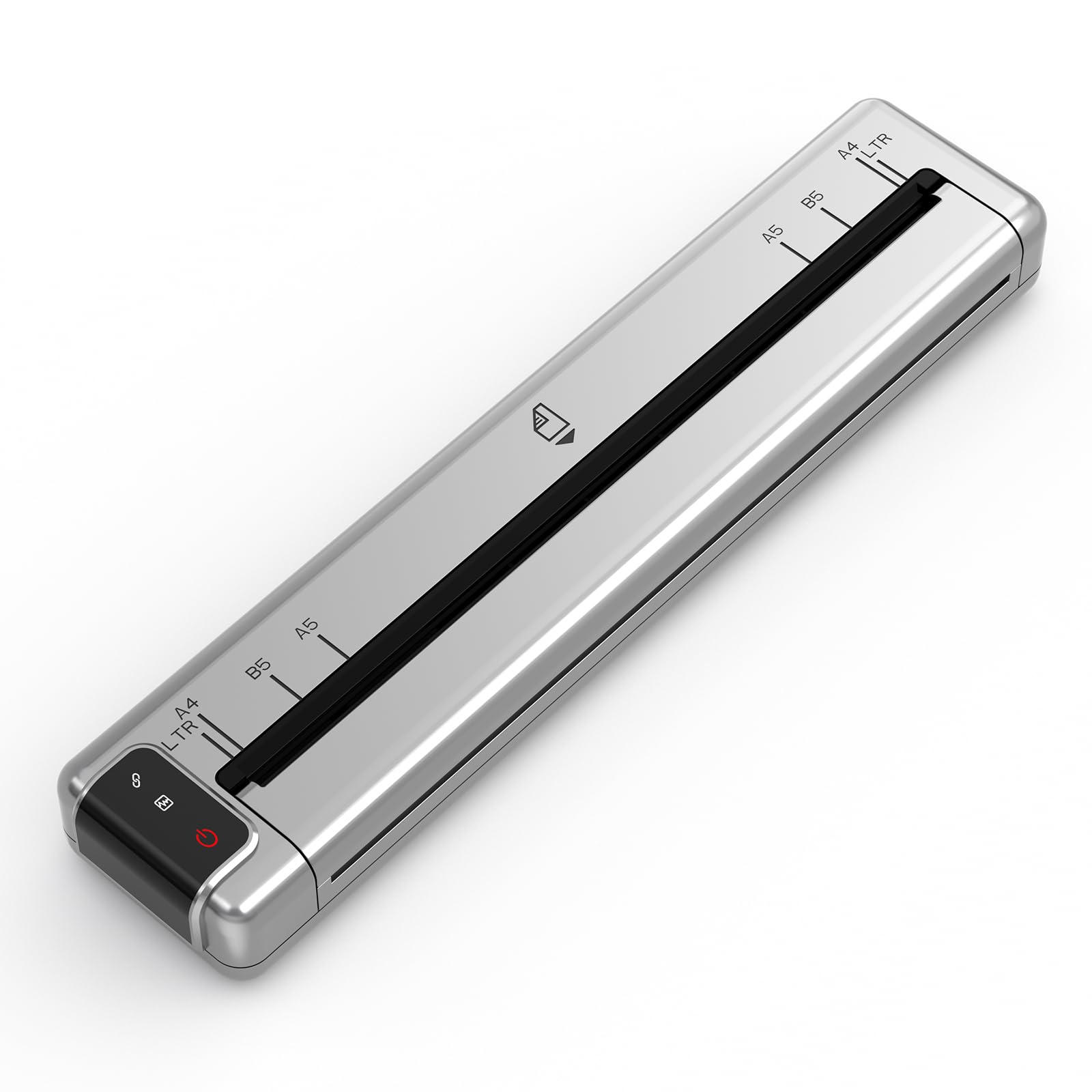
- Supports four listed thermal paper sizes.
- Connects by Bluetooth or Wi-Fi, with USB-C for computers.
- Includes a pouch, twenty sheets, and a charger.
Best For: People who print documents on the go and value lighter carry weight, quiet operation, and multiple page sizes.
Phomemo M02 Mini Printer
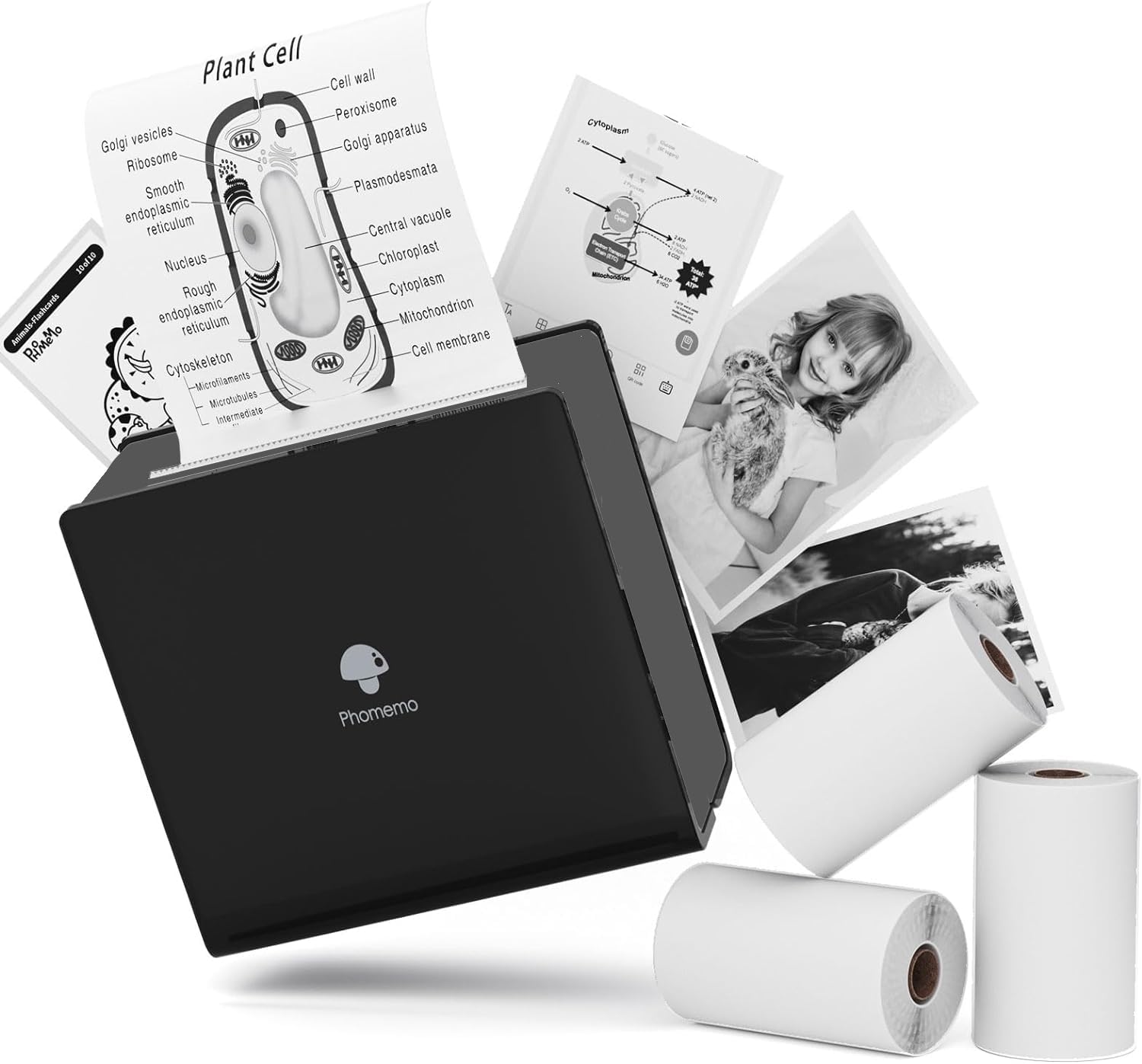
- Includes white, transparent, and semi-transparent paper.
- Uses 53 mm thermal printing paper.
- Has a 1000 mAh battery and Bluetooth connection.
Best For: Students and journalers who want a low-cost pocket printer with several paper finishes included.
Phomemo M02 Sticker Printer
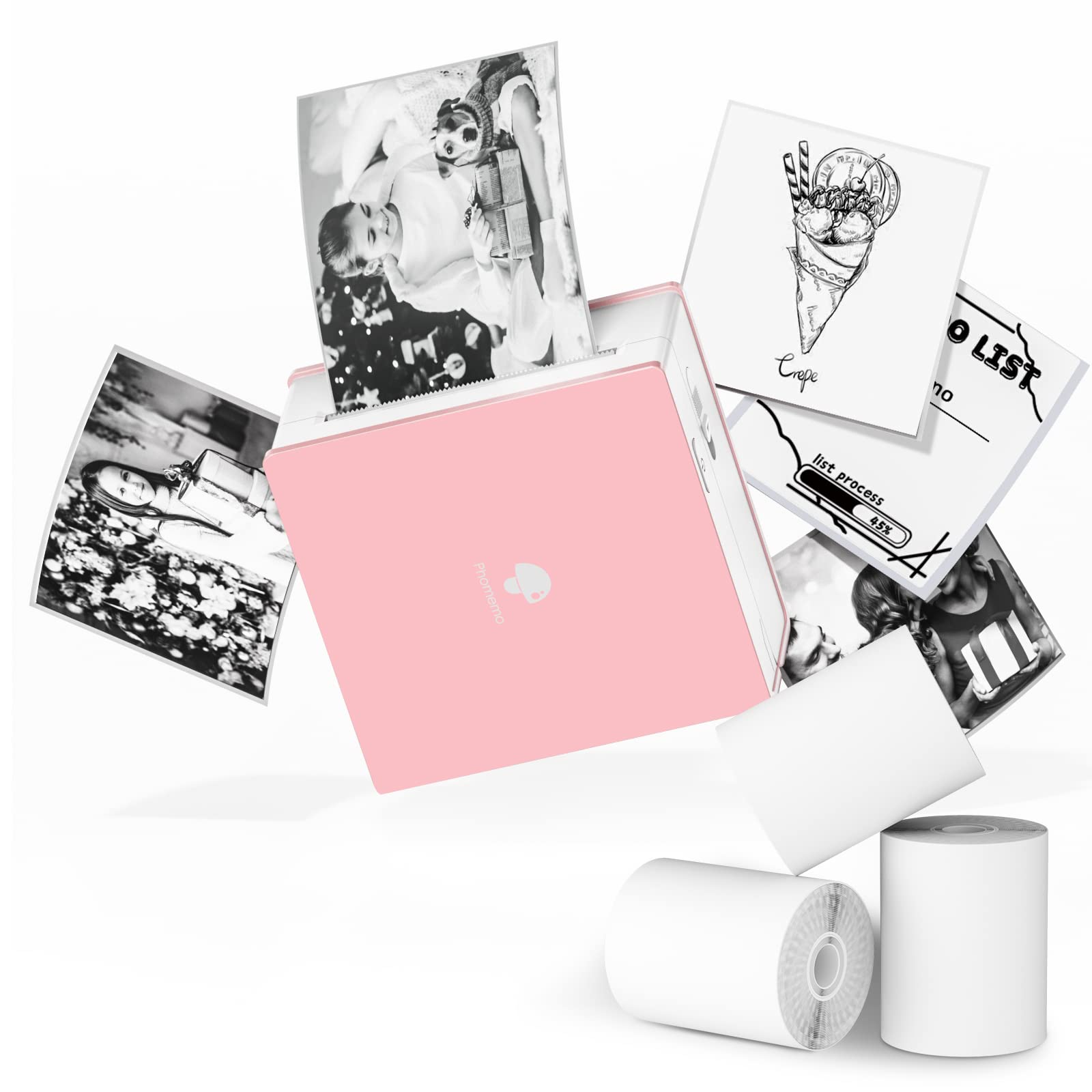
- Compatible with Android and iOS devices over Bluetooth.
- Prints on white, colored, and transparent thermal rolls in monochrome.
- App includes a scan feature for study graphics.
Best For: Students who want a small phone-connected printer for study diagrams, notes, and cut-to-size labels.
Three-Width Printing for Creative Projects
Phomemo Mini Sticker Printer - Print Pods M02 Pro 300dpi Mini Pocket Printer, Sticker Printer Maker Thermal Label Machine for Photo Printing, DIYs, Study Notes, Travel, Work and Study, Gift, Pink
The Phomemo M02 Pro is a pocket-size thermal printer for small creative prints, study notes, and labels. It supports 15 mm, 25 mm, and 53 mm thermal paper, giving it more width options than a printer built around one paper size.
Its 300 DPI output is intended for text, patterns, and photos, and thermal printing means no ink, toner, or ribbons to replace. Bluetooth connects it to iOS and Android phones through the Phomemo app, which includes templates, fonts, and icons.
It suits mobile projects, but its small paper formats are not meant for standard full-page documents.
Best For: Students and crafters who want a pocket printer that works with several label widths.
| Pros | Cons |
|---|---|
|
|
Choose the M02 Pro if you want one small printer for narrow labels and wider pocket prints, or if print detail matters for compact text and graphics. The three paper widths make it more flexible than a single-format label maker, but it still cannot replace a letter-size document printer.
Before buying, check the availability and cost of the compatible thermal rolls and whether your phone can run the Phomemo app.
Label Templates and Starter Tapes Included
Phomemo D30 Label Maker with 3 Tapes, Bluetooth Wireless Mini Pocket Smartphone Label Maker Machine, Small Thermal Printer Rechargeable Labeler for Home Office Labeler, Works with Tablet, Phones
The Phomemo D30 is a compact Bluetooth label maker focused on practical organization. This offer includes three tapes: white, gold, and clear, and the printer supports both continuous tape and fixed-length labels.
It prints black text with direct thermal technology, so it does not need ink, toner, or ribbons. The companion app can add symbols, frames, barcodes, QR codes, images, and other design elements.
Colorful tape can change the look of a label, but the printed output itself is monochrome. It is a good match for jars, storage, cables, and price tags rather than photographs or full-page documents.
Best For: Home organizers and small sellers who want ready-to-use tapes and app-based label design.
| Pros | Cons |
|---|---|
|
|
Pick the D30 when label-making is the main job and you value the included tape variety and two label formats. The app supports useful organization details such as QR codes and barcodes, but it remains a monochrome label printer, not a mini photo printer.
Check tape width and ongoing tape availability for the labels you plan to make, especially if you need a particular size for containers or merchandise.
Study and Sticker Printing With Three Rolls
Nelko Sticker Printer, PM230 Print Pod Mini Bluetooth Portabel Sticker Maker with 3 Rolls Paper, Print Pods with Multiple Templates for Phone & Tablet, Smart AI APP Family, Blue
The Nelko PM230 is a phone-connected sticker printer supplied with three rolls of white sticker thermal paper. The roll width is 54 mm, and the app supports AI printing, OCR, document scanning, and instant photo or text printing.
It prints in black and white, so its strength is compact study material, lists, and stickers rather than color photos. You can cut the paper into custom shapes with scissors, which suits labels and journal use.
It pairs with iOS and Android through the Nelko app, but it does not support computer printing. A charging adapter is also not included, and fast-charging adapters are not compatible.
Best For: Students who want a small Bluetooth printer for notes, diagrams, and custom-cut stickers.
| Pros | Cons |
|---|---|
|
|
The PM230 is a fitting choice for students who want sticker paper and scanning tools in a compact phone printer. Its fixed 54 mm roll format and custom-cut output suit notes, labels, and flashcards, while monochrome printing limits photo and design color.
Check that phone-based printing works for your devices and account for the missing charging adapter when planning what else you may need.
Letter-Size Printing With a Travel Case
Portable Printers Wireless for Travel, D90E Bluetooth Inkless Thermal Printer, Supports 8.5" X 11" Thermal Paper, Mobile Printer for Phone Laptop with Case & 10 Papers, for Home Office, White
The ETIKEZ D90E is a portable thermal printer for full-size documents rather than pocket labels. It supports 8.5 x 11 inch US Letter thermal paper and prints in black and white without ink, toner, or ribbons.
Bluetooth connects phones through the Labelnize app, while a USB connection supports PC printing after driver installation. The package includes a travel case, USB-C cable, and a ten-sheet thermal paper starter pack; a charging adapter is not included.
It is compact at 1.09 lb, though buyers should account for its requirement for thermal paper and its lack of Chromebook compatibility.
Best For: Travelers and mobile workers who need occasional US Letter documents from a phone or PC.
| Pros | Cons |
|---|---|
|
|
Choose the D90E if your idea of a mini printer is a travel-friendly way to print contracts, forms, or other full-page files. Its included case and starter sheets make it travel-ready, and USB adds a computer option that pocket sticker printers lack.
The key tradeoff is consumables: it needs compatible thermal paper, so check ongoing paper access and confirm your laptop is supported before relying on it away from an office.
Jam-Release Features for Travel Documents
TATTMUSE A28U Portable Printer Wireless Inkless Thermal for Travel 8.5 x 11
The TATTMUSE A28U is a portable thermal printer for letter-size documents, study notes, invoices, and similar files. It uses thermal paper and monochrome output, avoiding ink cartridges, toner, and ribbons.
Its listed features include a double-tap paper eject function for jam release and low-heat charging intended to extend battery life by up to four times. Bluetooth connectivity supports mobile use, and it is described as compatible with phones, tablets, and laptops.
At 1.45 inches wide and 10.55 inches high, it has a slim travel-oriented form. Confirm the paper format and computer connection method before buying, since detailed setup information is limited.
Best For: Frequent travelers who want a letter-size thermal printer with automatic paper return features.
| Pros | Cons |
|---|---|
|
|
Consider the A28U if you want letter-size thermal printing and value its jam-release and charging features. The up-to-four-times battery lifespan figure is a stated design claim, not a usage guarantee, so compare the connection and paper details against your routine.
Since the supplied information does not clarify the laptop connection method or supported formats beyond Letter, verify both before making it your main travel printer.
Multiple Thermal Paper Formats
TATTMUSE A282M Inkless Thermal Portable Printer for Travel, 8.5 x 11 | Wireless Bluetooth Mobile Small Compact Printer for Travel & Office & Home Use Compatible with Phone, Tablet & Laptop
The TATTMUSE A282M is a portable thermal printer designed for several kinds of thermal media. Its built-in tray works with thermal rolls, continuous forms, and single sheets, while the product notes say it accommodates five standard thermal paper sizes.
It prints in black and white at 300 DPI and connects with iPhones, Android phones, tablets, and iPads. Laptops and desktop computers require USB-C and driver installation.
The app supports common files such as Word, PDF, Excel, and photos, with batch printing and basic image tools. At 1.5 lb, it remains portable, though the exact five supported paper sizes should be checked before choosing media.
Best For: Households that want one portable printer for a range of thermal paper formats and devices.
| Pros | Cons |
|---|---|
|
|
Pick the A282M if your household wants a portable printer that can handle more than one thermal media format and connects to a range of mobile devices. Its tray flexibility and 300 DPI output make it more document-oriented than pocket sticker makers.
Before buying, confirm the exact paper sizes and compatible supplies for your intended documents, and factor in the USB cable and driver setup if you plan to print from a computer.
Quiet, Lightweight Multi-Size Document Printing
Phomemo Ultra-Light Q302 Portable Printer, Wireless Inkless Thermal, WiFi Bluetooth for US Letter/A4/A5/B5 Thermal Paper, Compact Printer, Compatible with Android iOS Phone & Laptop
The Phomemo Q302 is a compact thermal document printer that supports several page sizes, including US Letter, A4, B5, and A5. It connects over Bluetooth or Wi-Fi to a phone app and supports USB-C computer printing after driver installation.
The 300 DPI thermal output is monochrome and does not require ink or cartridges. The printer weighs 0.94 lb and includes a velvet pouch, twenty US Letter thermal sheets, and a 20W PD charger.
Its noise level is listed below 55 dB, which may suit shared spaces such as libraries or meeting rooms. It still depends on thermal paper, and its rating snapshot is comparatively modest.
Best For: People who print documents on the go and value lighter carry weight, quiet operation, and multiple page sizes.
| Pros | Cons |
|---|---|
|
|
The Q302 fits buyers who need full-page documents in a small travel package and want both wireless phone printing and a wired computer option. Its multiple sizes, included supplies, and pouch distinguish it from simpler letter-only portables.
Check the price and continued availability of compatible paper, along with the USB-C driver setup for your computer. Consider whether the documented feature mix is worth the tradeoff for your use.
Three Paper Types for Pocket Notes
Phomemo M02 Mini Sticker Printer, Bluetooth Mobile Pocket Printer | with 3 Rolls Paper, Sticker Maker Machine, Kids Gift, Study Notes, Journal, Compatible with iOS & Android, Green
This Phomemo M02 mini printer is a pocket-size thermal option for notes, lists, and decorative prints. The package includes three 53 mm paper types: white, transparent, and semi-transparent.
Its monochrome output is inkless, and the app connects over Bluetooth to support templates and print layouts. A 1000 mAh battery enables printing away from a desk, while the paper supports both practical reminders and creative journal projects.
It is a sticker and note printer, not a full-page document machine, and the printed image remains black and white. Check replacement roll availability and whether the included finishes match the labels you want to make.
Best For: Students and journalers who want a low-cost pocket printer with several paper finishes included.
| Pros | Cons |
|---|---|
|
|
This M02 is a practical pick for pocket notes and journal projects when included paper variety matters more than a wide format. Its three paper finishes offer more creative options than plain white rolls, while the 53 mm size and monochrome printing set a clear limit.
Check that replacement paper is easy to source and plan on phone-based app printing, since computer compatibility is not specified.
Scan-Based Study Prints in a Pocket Format
Phomemo Sticker Printer- Mini Thermal Sticker Printer Machine, Small Pocket Label Maker Instant Print for DIY Creation, Study Notes, Photos, Portable Inkless Photo Maker for Kids/Students, Pink
The Phomemo M02 is a compact monochrome thermal printer that works with Bluetooth phones and tablets. It can print on white self-adhesive and thermal paper, plus colored or transparent paper that produces single-color designs.
The Phomemo app includes thousands of patterns, fonts, themes, and filter effects, along with a scan feature for study graphics. Its listed dimensions make it small enough for a pocket or bag.
Prints can be cut into custom labels with scissors. This is a creative and study aid rather than a conventional document printer, and buyers should confirm device operating-system compatibility before ordering.
Best For: Students who want a small phone-connected printer for study diagrams, notes, and cut-to-size labels.
| Pros | Cons |
|---|---|
|
|
Choose this M02 if your mini printer jobs center on study graphics, stickers, and small notes made from a phone or tablet. The scan feature and varied roll options add flexibility, while the monochrome output and small paper format make it unsuitable for color photos or full-size documents.
Confirm your operating system meets the stated compatibility requirements and check the specific paper rolls needed for adhesive or transparent prints.
How to Choose Mini Printers
How We Picked Mini Printers
This roundup separates pocket sticker and label printers from portable document printers, since both are sold as mini printers but serve different jobs. Pocket models made the cut when they had clear evidence of phone connectivity, supported media, and a specific use such as study notes, label making, or journaling.
Portable document models were included when they handled full-page media and offered useful travel features such as a case, multiple paper sizes, or more than one connection method.
We also avoided counting alternate offers of the same Phomemo D30 or Memoking T02 as distinct products. The selected options cover several paper formats and workflows, from three-width thermal rolls to US Letter documents, while excluding label-only machines that do not fit the broader mini-printer intent.
Comparing Mini Printers by Paper and Print Job
Start with the print size. The M02 Pro supports 15 mm, 25 mm, and 53 mm rolls, while other pocket picks use 53 mm or 54 mm media.
Those small widths suit stickers, lists, study graphics, and labels. For contracts, invoices, or boarding passes, the D90E, A28U, A282M, and Q302 are more relevant because they support full-page thermal paper.
Then check the exact media and output. The D30 is a dedicated label maker with continuous and fixed-length tape, including three starter tapes.
The M02 with three paper types offers white, transparent, and semi-transparent finishes. The pocket models print in monochrome; colored or clear stock changes the background or finish, not the ink color.
Document printers also use thermal paper, so ordinary copy paper will not work.
| Product | Standout features | Best for |
|---|---|---|
| Phomemo M02 ProCheck Price |
| Students and crafters who want a pocket printer that works with several label widths. |
| Phomemo D30 Label MakerCheck Price |
| Home organizers and small sellers who want ready-to-use tapes and app-based label design. |
| Nelko PM230 Print PodCheck Price |
| Students who want a small Bluetooth printer for notes, diagrams, and custom-cut stickers. |
| ETIKEZ D90ECheck Price |
| Travelers and mobile workers who need occasional US Letter documents from a phone or PC. |
| TATTMUSE A28UCheck Price |
| Frequent travelers who want a letter-size thermal printer with automatic paper return features. |
| TATTMUSE A282MCheck Price |
| Households that want one portable printer for a range of thermal paper formats and devices. |
| Phomemo Q302Check Price |
| People who print documents on the go and value lighter carry weight, quiet operation, and multiple page sizes. |
| Phomemo M02 Mini PrinterCheck Price |
| Students and journalers who want a low-cost pocket printer with several paper finishes included. |
| Phomemo M02 Sticker PrinterCheck Price |
| Students who want a small phone-connected printer for study diagrams, notes, and cut-to-size labels. |
Choosing a Pocket Printer for Study Notes and Stickers
Students should compare app features and connection limits. The Nelko PM230 supports OCR and document scanning, which can help turn study material into compact prints, and it comes with three rolls of sticker paper.
The Phomemo M02 includes a scan feature for study graphics, while the M02 Pro adds three media widths and 300 DPI output. These differences matter more than gift-focused styling if the printer will be used for class notes or diagrams.
For home organization and small business labels, check whether the printer supports the needed width and label style. The D30 offers continuous and fixed-length tape, while the M02 options print on roll media that can be cut into custom shapes.
For labels that need to resist water or oils, this group does not establish those properties across all models, so check the specific tape before buying.
Portable Document Printing on the Go
A letter-size thermal printer is much larger in output format than a sticker maker, even when its body is designed for travel. The D90E includes a case and starter sheets and supports USB-connected PC printing; the Q302 adds several listed paper sizes, a pouch, and Bluetooth or Wi-Fi phone connections.
The A282M accepts rolls, continuous forms, and single sheets, while computer printing requires USB-C and driver setup.
Check computer support carefully. The D90E is not compatible with Chromebooks, and the Q302 and A282M require a wired USB connection and drivers for computer printing.
The A28U includes a paper-jam release feature, but the details here do not establish its laptop connection method or supported paper formats beyond Letter. Also compare ongoing thermal paper availability, since these printers cannot use ordinary copy paper.
Who Should Buy Which Mini Printer
Choose the D30 for household labels or price tags when tape flexibility and included rolls matter. Choose the M02 Pro for pocket printing across multiple roll widths, or the PM230 for study-oriented sticker prints with OCR and scanning.
The three-paper M02 fits journalers who want different finishes in the package.
For full-page travel printing, compare the D90E if you want a case and PC-over-USB support, the Q302 if multiple page sizes and lighter carry weight appeal, and the A282M if varied thermal media formats are useful. The A28U may suit buyers who prioritize its paper jam release feature, but verify its connection details first.
Match the printer to the paper you can readily buy and the device you intend to print from.